<img height="1" width="1" style="display:none" src="https://www.facebook.com/tr?id={244756505703335}&amp;ev=PageView&amp;noscript=1">

Schedule months of posts in minutes.

Fill your calendar with a drag-and-drop posting plan, bulk upload, and buckets that put the right type of content in the right time slot, on all 10 networks.

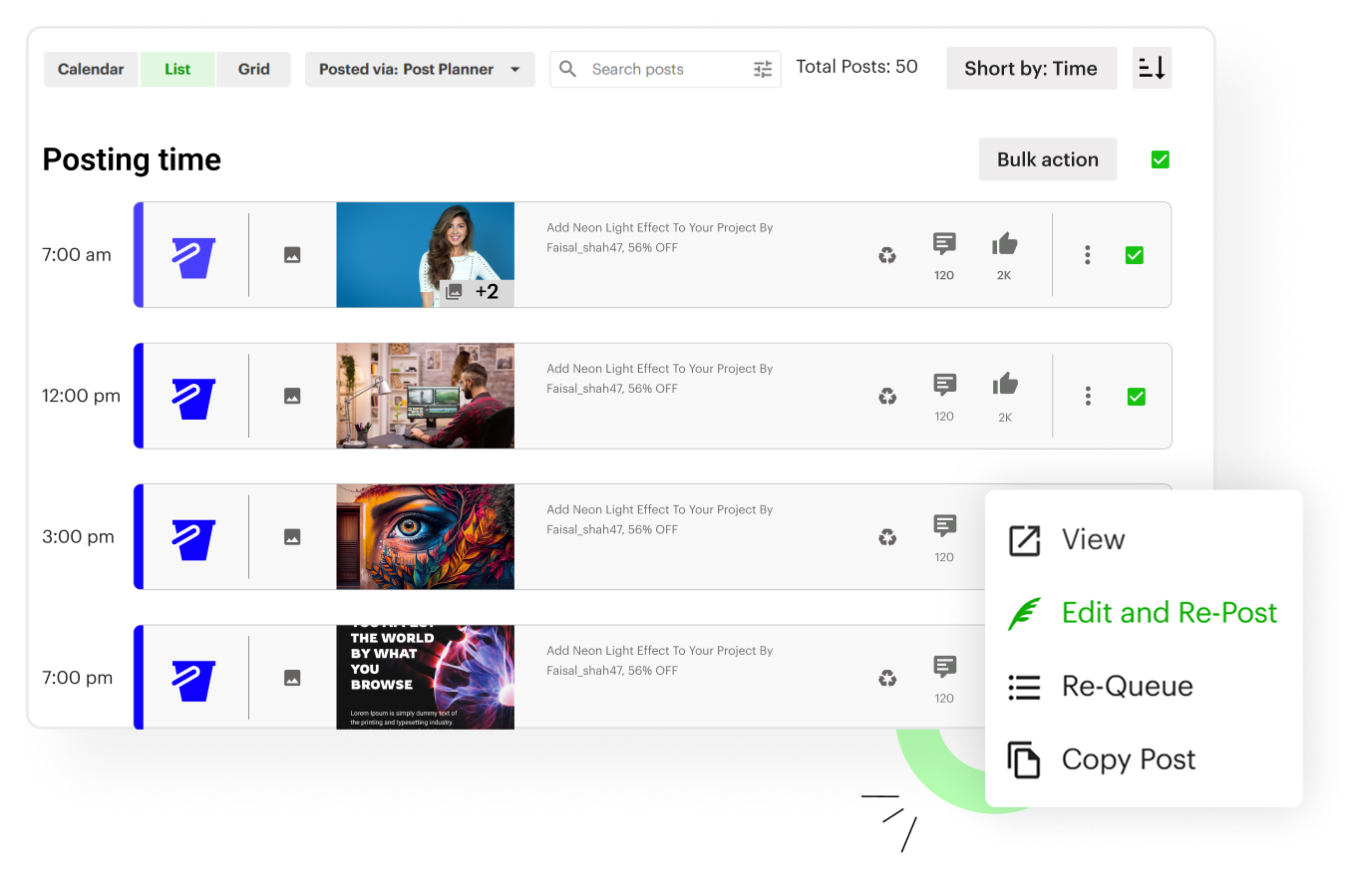
Post Planner calendar filled with scheduled posts across social networks
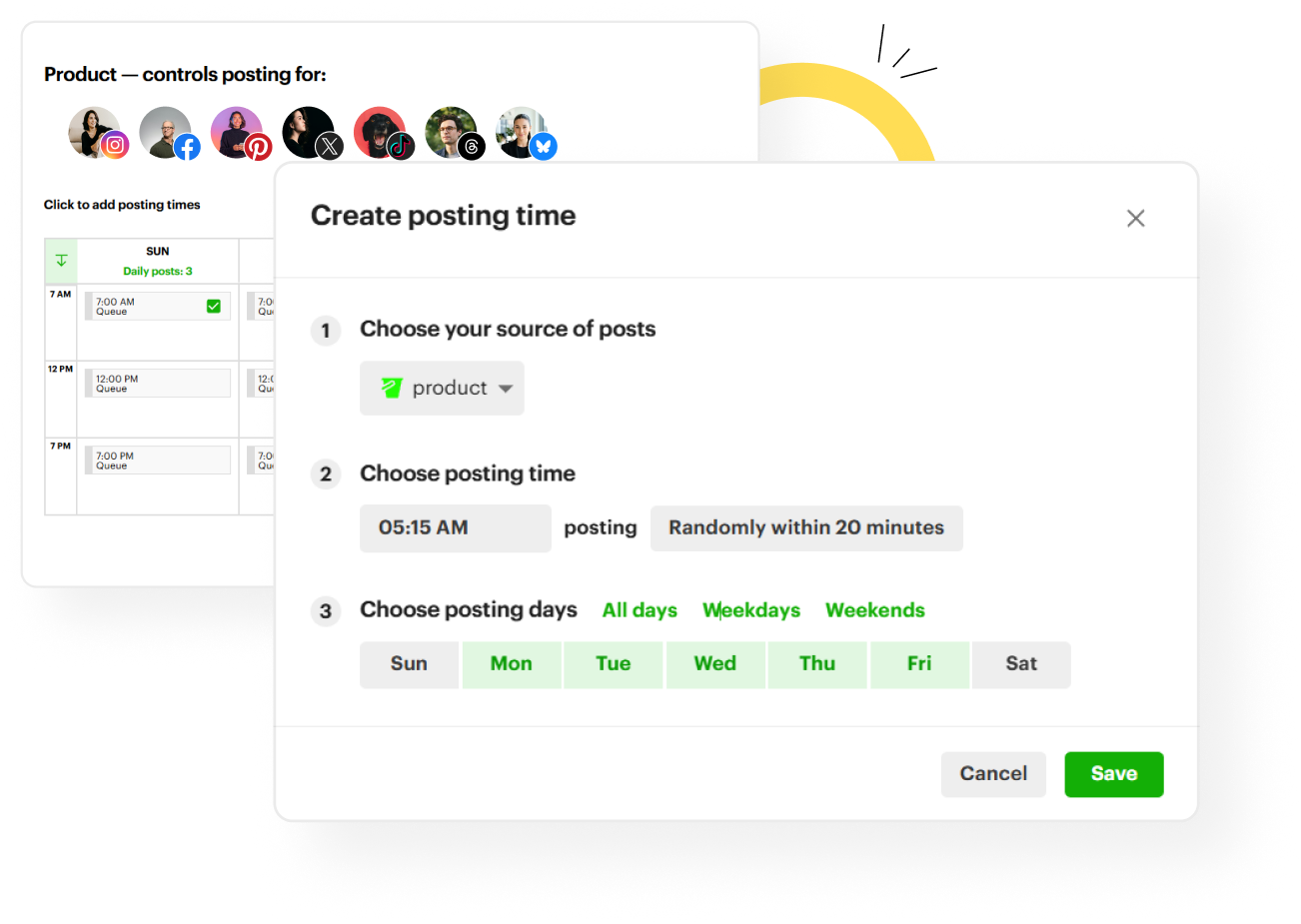
Posting Plan time slots set to exact times or randomized within 20 minutes

YOUR SCHEDULE, AUTOMATED

Publish on the exact schedule you choose

Set your posting times down to the minute, or post randomly within 20 minutes of each slot so your feed feels human. Check your History analytics to see when your audience actually engages, and build your schedule around it.

CALENDAR & GRID

Plan visually and reorder with a drag

See your whole schedule in calendar or grid view, and drag posts to reschedule in seconds.
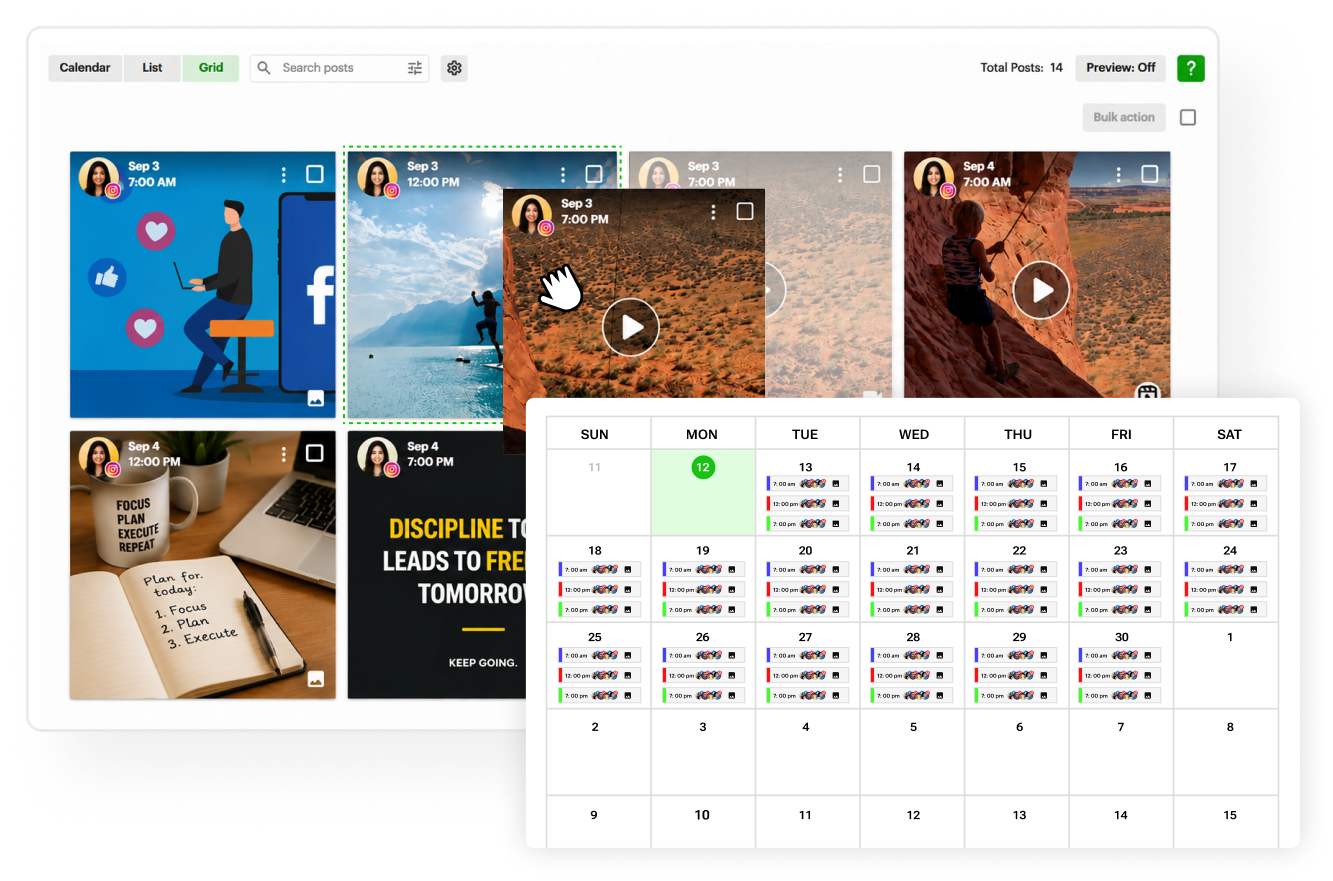
Calendar and grid views of scheduled posts, with a post dragged to a new slot
History view sorted by Likes, with a top post being re-queued

TOP PERFORMERS

Squeeze more engagement from your best posts

Chances are most of your followers never saw your best posts. Re-queue any top performer from History in one click, and set evergreen posts to recycle automatically so your feed never goes quiet.

BULK UPLOAD

Schedule hundreds of posts at once

Upload a batch of images, pull articles straight from an RSS feed, or import a spreadsheet with hundreds of posts. Your calendar fills in one go.
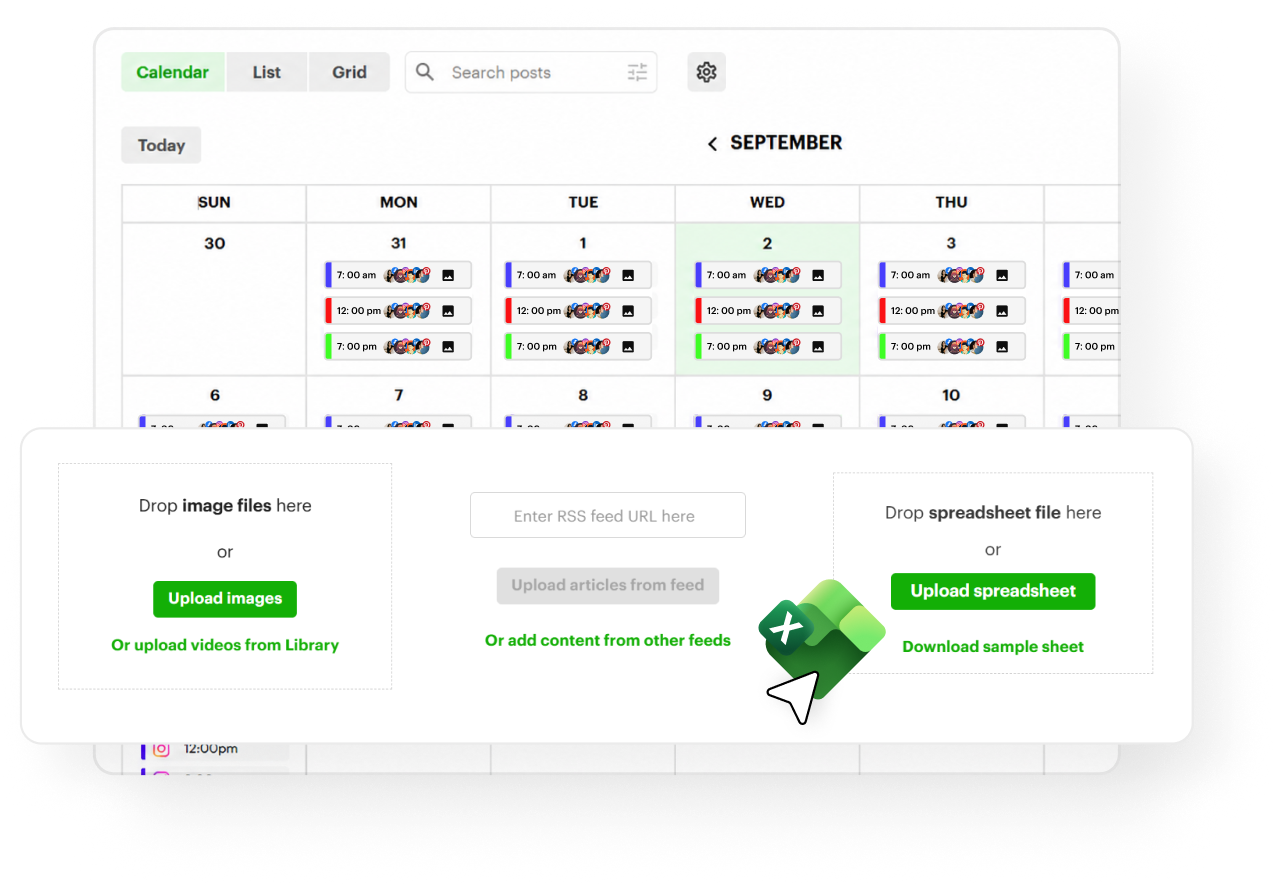
Spreadsheet of posts uploading into a full posting calendar
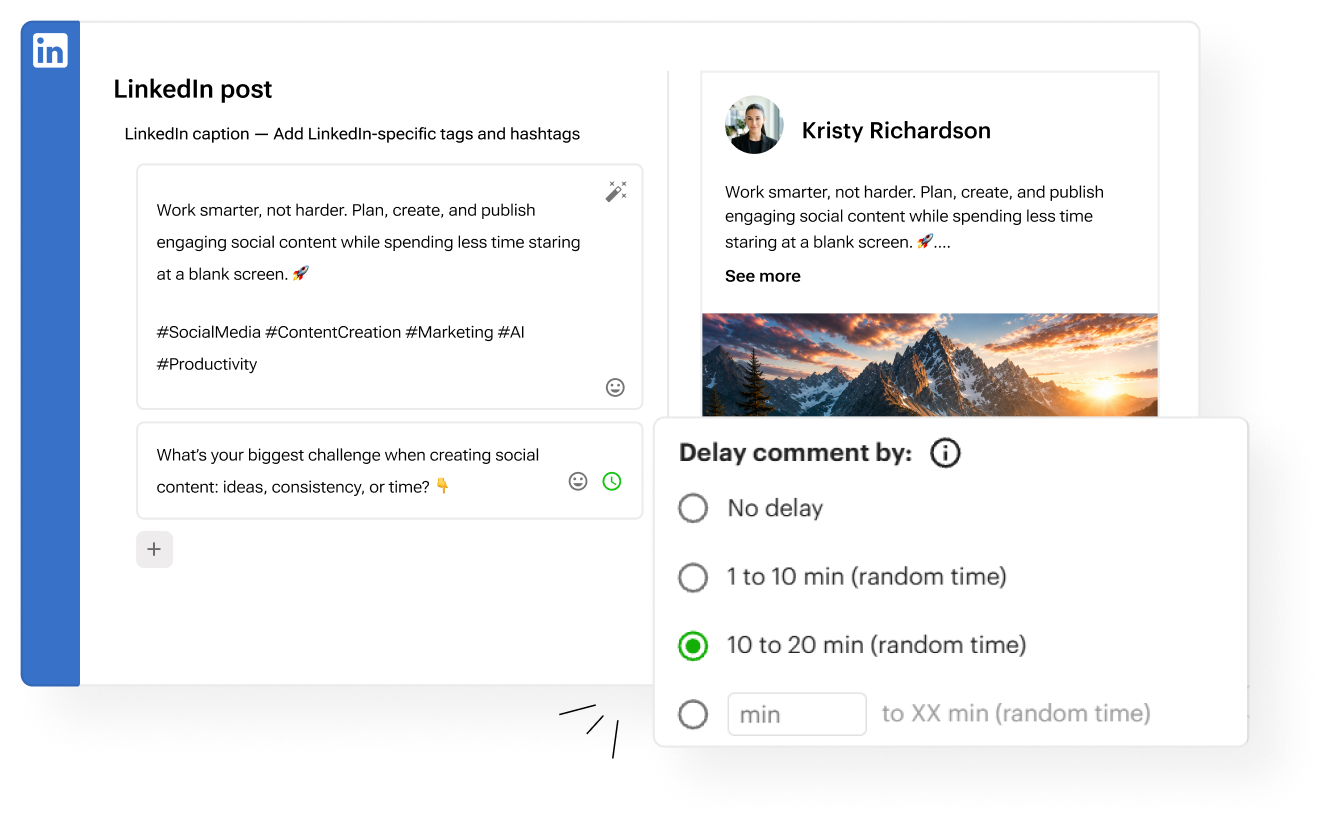
Composer with several scheduled comments and a delay setting

SCHEDULED COMMENTS

Put your links in the comments

Schedule one or several comments to publish with each post, on a timed delay if you like. Perfect for hashtags and CTA links that don’t hurt your reach.

FAQ

Does Post Planner publish automatically?
Yes. Every supported network publishes directly at the times you choose, with no reminders or manual steps.
Can it post at the best times?
Post Planner doesn’t guess your best times for you. Instead, your History analytics show when your posts actually get engagement, so you can set a custom schedule around real data, exact to the minute or randomized within 20 minutes.
Can I schedule posts for specific dates and times?
Yes. Schedule any post for an exact date and time, or add it to your queue and let your Posting Plan publish it in the next open time slot.
Can I bulk-schedule?
Yes. Upload a spreadsheet, a batch of images, videos from your Library or articles from an RSS feed, or pick posts straight from your content feeds, and schedule hundreds of posts at once. Here’s how: How do I schedule posts in bulk?
Can I recycle posts?
Yes. Set any post to recycle forever, a set number of times, or until a date, and re-queue your top performers straight from History.
Can I change my posting schedule anytime?
Yes. Edit your Posting Plan’s time slots whenever you like, and your queued posts follow the new times.
Can I pause my posting?
Yes. Pause your Posting Plan anytime with one click, and unpause it whenever you’re ready to start publishing again.

Schedule better content.
Reach more people.
Get more followers.

Start Free Trial