
This guide gives you the top 17 tools to manage social media posts RIGHT NOW. These tools will help you:
- Save time
- Find better content
- Improve engagement
- Increase brand consistency
A quick Google search will overwhelm you with A TON of social media management tools to choose from.
That's why I've personally tested the most popular options and put together a list of the top 17 tools.
I've even categorized them by their best features and will give you tips for choosing the best social media scheduling tool for YOUR specific needs.
Full disclosure: Post Planner is our product. I've ranked it first because it's the tool I use every day, and I've listed its cons the same way I list everyone else's.
Quick Answer: What Are The Best Social Media Scheduling Tools?
The best social media scheduling tools are:
- Post Planner – Best for content curation and scheduling social media posts
- Hootsuite – Good for community interaction
- Buffer – Best for simplicity
- Later – Best for Instagram
- Sprout Social – Great for comprehensive scheduling
Best social media schedulers by use case:
Here are all 17 tools at a glance. On a phone, swipe the table sideways. Click any name to jump to its review:
| Tool | Best For | Starting Price | Free Plan/Trial | Standout Feature |
|---|---|---|---|---|
| Post PlannerOur pick | Content curation & scheduling | $9per month, billed annually | Free plan10 scheduled posts | Content streams surface proven posts from your niche |
| Hootsuite | Community interaction | $99per user per month, annual | 14-day free trialNo free plan | Unified inbox + paid ads management |
| Buffer | Simplicity | $5per channel per month, annual | Free plan | Clean, minimal UI with team collaboration |
| Tailwind | Posting on Pinterest | $17.99per month, billed annually | Free planlimits not published | AI creates, writes, and schedules your Pins every week |
| SocialPilot | Agencies | $25.50per month, billed annually | 14-day free trialNo free plan | White-label client dashboards + bulk CSV upload |
| Later | $18.75per month, billed annually | 14-day free trialNo free plan | Visual grid planner built around Instagram | |
| Onlypult | Competitor analysis | $17.50per month, billed annually | 7-day free trialNo free plan | Telegram scheduling (unique on this list) |
| Sprout Social | Comprehensive scheduling | $79per seat per month, annual | 30-day free trialNo free plan | Listening, reviews, and influencer marketing bundled in |
| Agorapulse | Managing social inboxes | $79per user per month, annual | 30-day free trialNo free plan | Unified inbox for comments, DMs, and reviews |
| Planable | Scaling agencies | $33per workspace per month, annual | Free planFirst 50 posts free | Client approval links, no login required |
| Loomly | Collaborative planning | $49per month, billed annually | Free plan5 posts/mo, for some accounts + 7-day trial | Multi-step approvals with Slack/Teams alerts |
| Statusbrew | Enterprise-level value | $69per month, billed annually | 14-day free trialNo free plan | 250+ reporting metrics at a lower price point |
| SocialBee | Bulk scheduling | $24.20per month, billed annually | 14-day free trialNo free plan | Evergreen content categories & auto-recycling |
| Vista Social | Quality support | $80per month, billed annually | 14-day free trialNo free plan | DM automation + social listening + reputation mgmt |
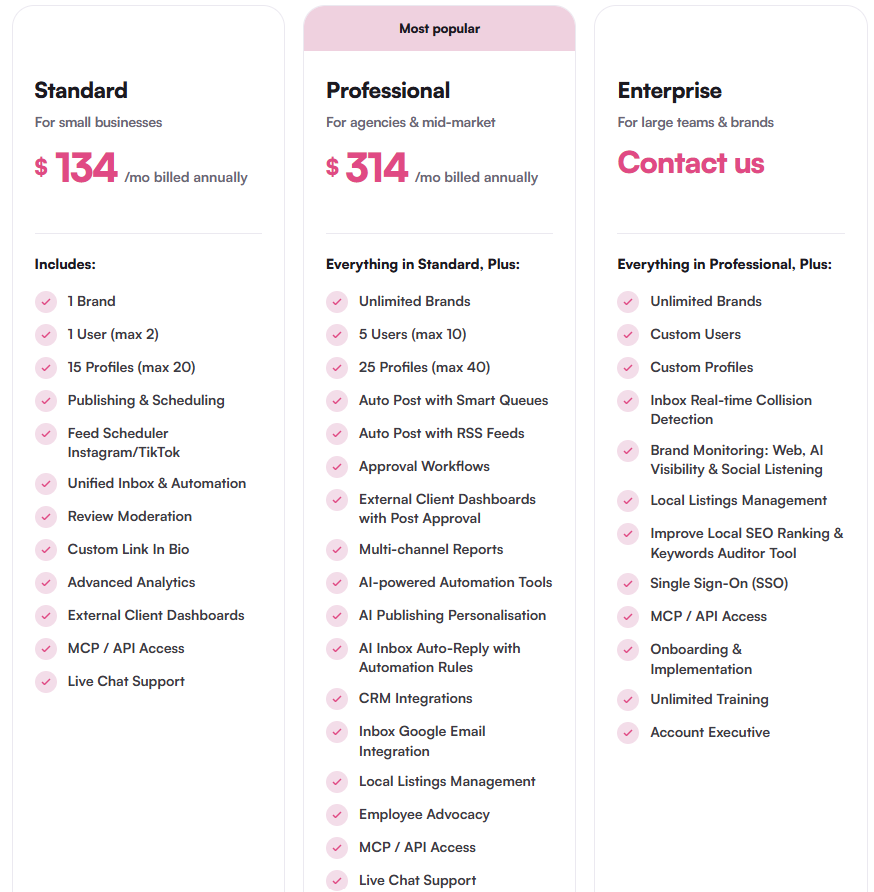
| eClincher | All-in-one for local business | $134per month, billed annually | 14-day free trialNo free plan | Local SEO & business-listings management built in |
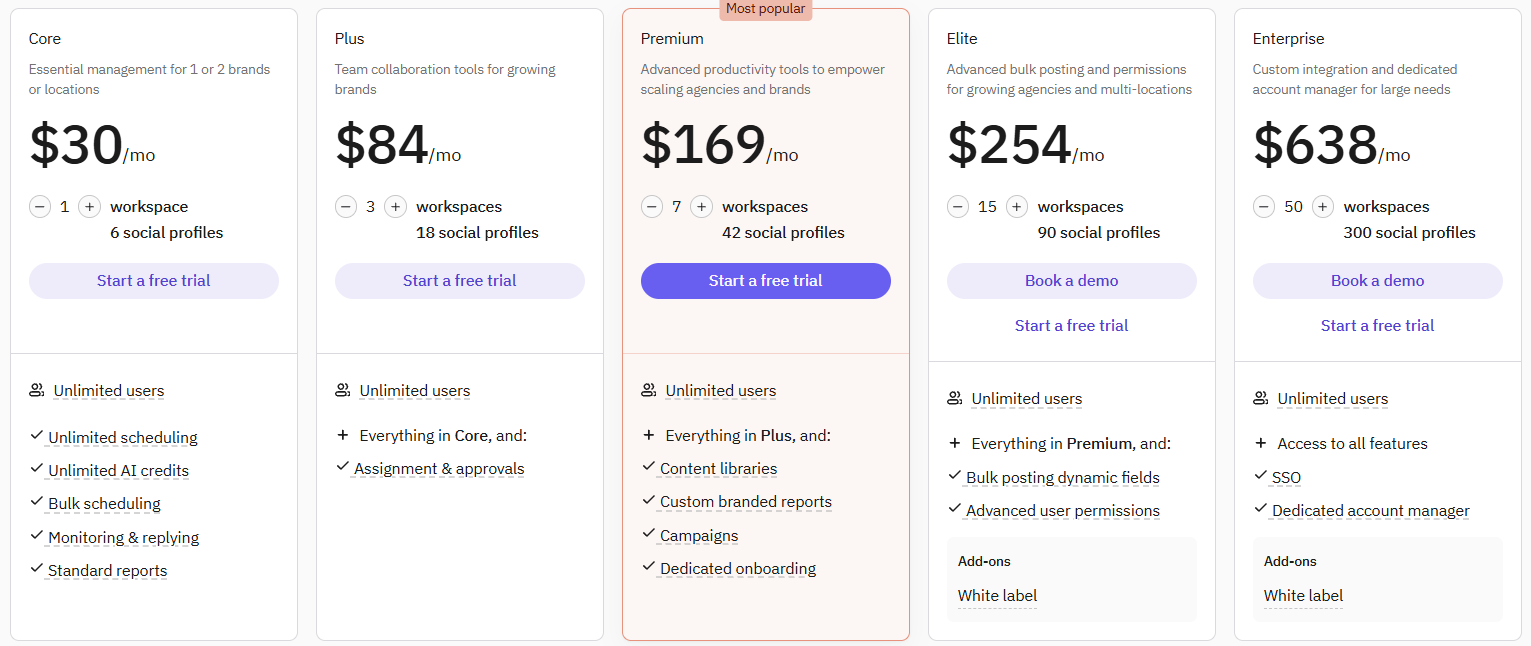
| Sendible | Multi-location/multi-brand | $30per month, billed annually | 14-day free trialNo free plan | Workspaces separate each brand or location |
| ContentStudio | Approval workflows | $19per month, billed annually | 7-day free trialNo free plan | Magic-link approvals + AI content assistant |
Prices were checked in October 2026. Every price in this article is the US price, shown as a monthly rate billed annually unless mentioned otherwise.
How to choose the right social media scheduling tool for you?
It sounds a bit obvious, but the “best tool” isn’t universal. Based on your specific setup, you can use the following criteria to land on the right tool for you:
How many platforms do you actually post to?
If you're spread across 5+ platforms, prioritize tools with broad platform coverage and bulk scheduling like Post Planner or Sprout Social. If you live on one platform, a specialist tool like Later for Instagram or Tailwind for Pinterest will usually outperform a generalist.
Are you managing your own brand, or multiple clients/locations?
Tools like Buffer and Post Planner are excellent for solo marketers and small in-house teams that need simplicity and price-per-seat value. Agencies and multi-location businesses need workspace separation, client approval flows, and reporting that scales without per-seat penalties, which are offered by tools like Planable, SocialPilot, Sendible, and eClincher.
Do you need help creating content or just publishing it?
If you're starting from a blank page, tools with content curation, AI writing assistance, or design studios like Post Planner save the most time. If you already have a content pipeline and just need reliable publishing, a lighter scheduler is enough.
How important is community management vs. scheduling?
If comments, DMs, and mentions eat up your day, prioritize tools with unified social inboxes like Hootsuite, Agorapulse, or Sprout Social. If publishing is your main bottleneck, don't pay for inbox features you won't use.
What’s your team collaboration style?
Teams that need visual content review and sign-off before anything goes live should prioritize collaborative planning tools like Loomly, Planable, or ContentStudio. Solo users can skip this entirely and save money.
What’s your actual budget, and does pricing scale with your growth?
If a tool charges per seat, tools like Sprout Social or Agorapulse might not be ideal for growing teams. On the other hand, if you’re an agency looking for a tool that can scale more predictably, look for tools that charge per workspace/profile, like Planable or SocialBee.
Rule of thumb: Match the tool to your bottleneck. The tool that solves the thing that’s actually costing you time each week will be far better than one that offers more features on paper.
(Looking for the best all-around post scheduler? Try Post Planner for free today!)
1. Best for content curation & scheduling social media posts: Post Planner
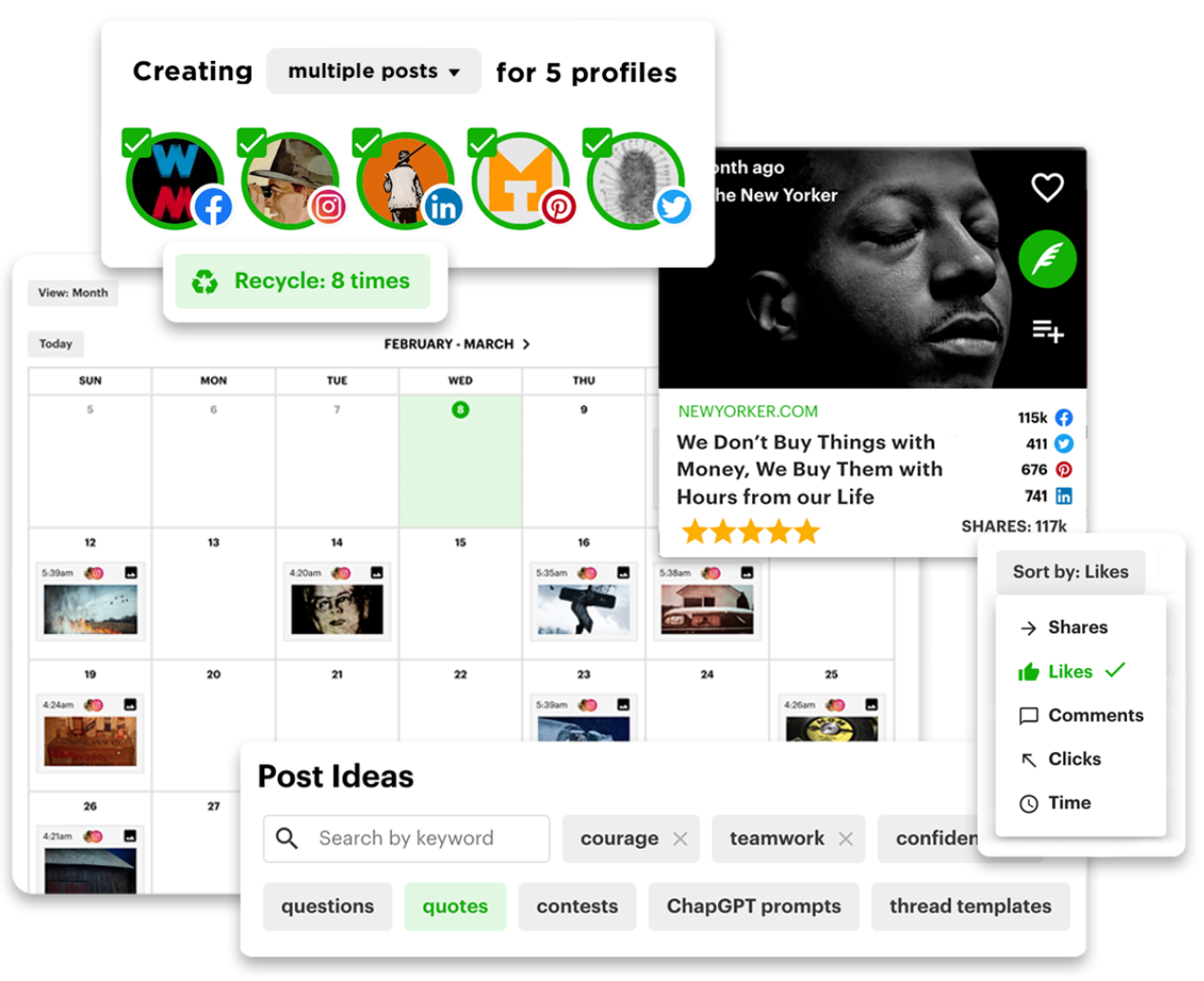
My #1 priority when looking for a social media scheduling tool is EFFICIENCY, and that's exactly what I got when using Post Planner.
Believe it or not, Post Planner was an app optimized for Facebook. But these days, it's the perfect tool for finding, planning, and posting content on:
- Google Business
- TikTok
- X
- YouTube
- Threads
- Bluesky
Post Planner has EVERY tool you need to be a successful social media content creator.
And the best part? It's the most AFFORDABLE on this list.
Here's a demo video that shows just how simple it is to use:
Pros
- Bulk post scheduling
- Affordable for small businesses
- Personal and quick customer support
- You can recycle top-performing posts
- The interface is simple and easy to use
- You can identify trending content for sharing
- Easily schedule weeks of content in an afternoon
- Great for tracking competitors' content across platforms
- Content creation tools that help you never run out of ideas
- Unlimited AI caption and post writing on every plan, including Free
Cons
- Although Post Planner helps you track your engagement, its reporting features aren't as complex as other tools on this list.
- No unified social inbox or social listening. Post Planner is built for finding and scheduling content, not community management.
Key features
- Discover - Curate content from around the web to share.
- Design - Create your own visual posts with our content studio.
- Categorize - Organize your content into bucket categories.
- Create - Tailor each of your posts to be optimized for each social media platform.
- Analyze - Evaluate your historical posts' engagement and performance.
- AI tool - Write captions, hashtags, and post ideas with AI (unlimited on every plan), and generate images for your posts right in the composer.
- Mobile app - Create and schedule content from your mobile device with the IOS or Android app.
- Schedule - Automate your content to be posted at the perfect time with bulk scheduling and post-recycling.
- Connect - All of your social media accounts in one place (Facebook, Instagram, LinkedIn, X, TikTok, YouTube, Pinterest, Bluesky, Threads, and Google Business).
Why is Post Planner the best tool for content curation and scheduling?
Content Streams surface proven, high-performing posts from your niche, so you’re never starting from a blank page.
Pricing
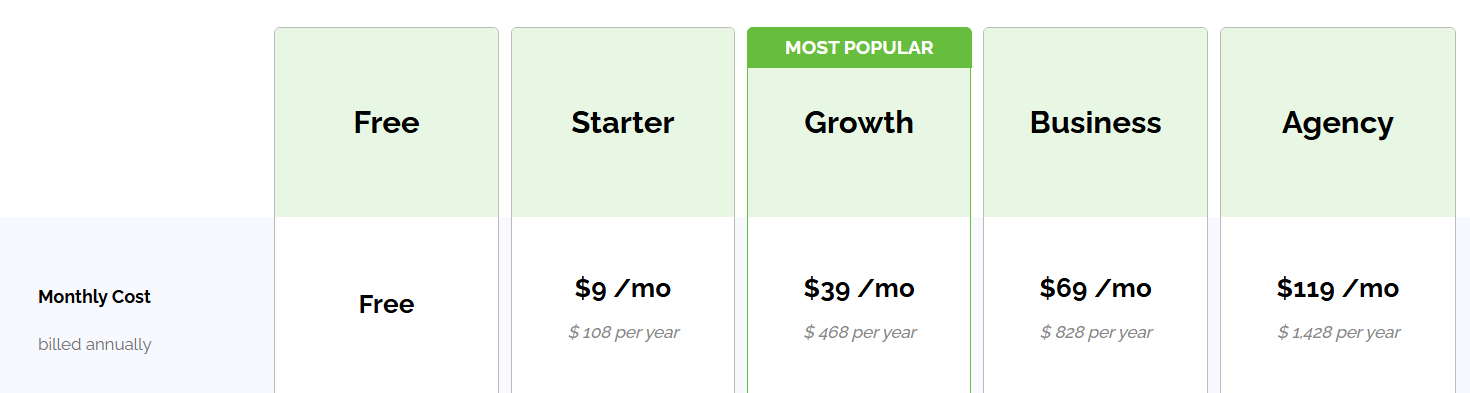
Post Planner offers 5 main pricing plans:
- Free - 1 user and 1 account with up to 10 posts scheduled at a time
- Starter - $9/month, paid annually for 1 user and 3 accounts
- Growth - $39/month, paid annually for 2 users and 15 accounts
- Business - $69/month, paid annually for 5 users and 25 accounts
- Agency - $119/month, paid annually for 10 users and 50 accounts
Visit our pricing page for more details on each plan.
Customer reviews
Post Planner mainly receives 4-5 stars across online review platforms.
Customers love the time they save scheduling their posts with Post Planner's easy-to-navigate UI. More critical reviews mention that they wish more advanced reporting features were available.
Here's what Martijn de Zwart has to say about using Post Planner:
“I had a great experience with Post Planner’s customer support.
I had a few questions about connecting and publishing to different social media accounts, and the support team responded quickly, clearly, and personally. They took the time to understand the issue and helped me resolve everything without making the process complicated.
The platform itself is very useful for planning and managing content across multiple social media channels, and good customer service makes a huge difference when setting everything up.
Very helpful, responsive, and solution-oriented. Highly recommended!”
2. Good for community interaction: Hootsuite
Hootsuite is a tool that's best for larger companies because of its more complex features and higher price tag. It allows you to manage almost every aspect of social media posts and offers the ability to:
- Engage with community
- Analyze progress and analytics
- Research and identify engaging content
- Publish and schedule content, including auto-schedule
- View many aspects of engagement with a multi-stream view
One of Hootsuite's strongest points compared to other tools is the ability to reply directly to comments on your posts from the Hootsuite dashboard.
Pros
- Plenty of integrations
- Paid ads management
- Strong analytics and reporting
- Great for social listening to manage your online reputation
- DM and comment management features that are great for customer service
Cons
- Reviewers often mention slow or unresponsive support (see Taylor's review below)
- They don’t offer a free plan, if you’d like to test Hootsuite you can opt in for their 14-day free trial
- Relatively more expensive compared to Post Planner
- Stock photo library included, but you can't curate various types of content from around the web.
Key features
- Perch – Hootsuite’s all-in-one social media publishing tool that lets you plan, schedule, generate and publish content across Instagram, TikTok, LinkedIn, Facebook, YouTube, Pinterest, and X. You can also easily collaborate and brainstorm with your team through Hootsuite’s Whiteboard. Additionally, you can also use Perch to manage your paid social campaigns and drive traffic using Hootsuite’s branded link-in-bio tool:
- Social Ads – Launch, schedule, and optimize paid social campaigns across Facebook, Instagram, LinkedIn, and X with smart triggers and AI copy tools.
- Hootbio – Build a branded link-in-bio landing page to drive traffic from Instagram and other platforms to external content.
- Wisdom – Get real-time trend insights, strategy tips, audience targeting advice, and generate brand-safe captions, videos, and scripts.
- Nest – Centralize all comments, messages, and reviews with auto-replies, sentiment detection, language routing, and CSAT surveys. You can also automate DMs, track engagement rates, measure response times, and use smart replies to manage community at scale
- Lumen – Get real-time social listening + product analytics in one view. Track brand health, trends, share of voice, reach, influencers, customer needs, sentiment, competitors, and emerging risks across social, news, and the web
- Parliament – Equip employees with pre-approved content they can share on their own networks via Microsoft Teams, Slack, or mobile app.
- Analytics – Monitor hundreds of metrics across organic, paid, and earned content. Benchmark competitors and export branded reports.
Why is Hootsuite the best tool for community interaction?
Hootsuite allows you to reply directly to comments and manage DMs across social platforms from the Hootsuite dashboard.
Pricing
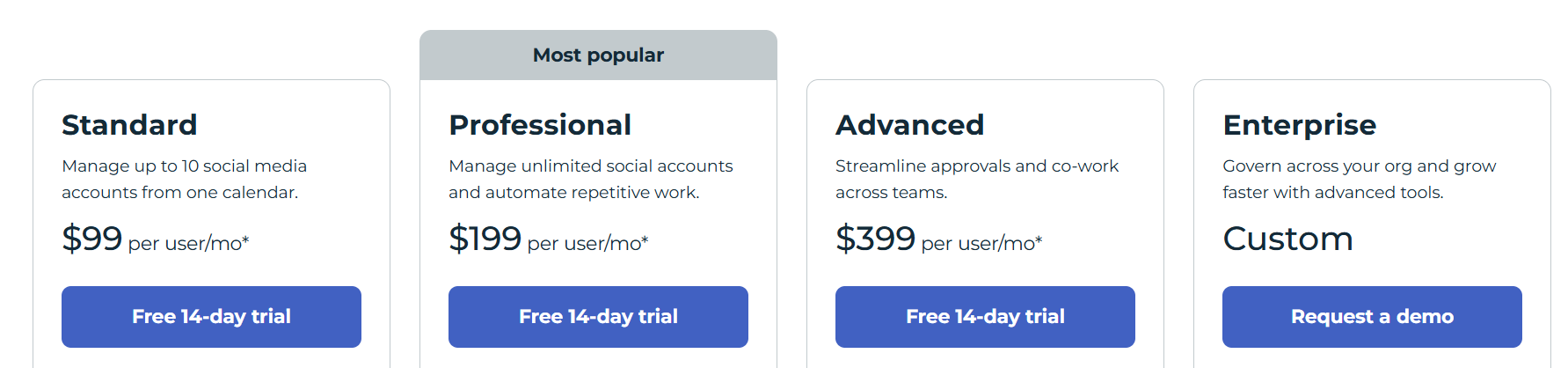
Hootsuite has 4 main pricing plans available:
- Standard - $99 per user/month, paid annually for 10 accounts
- Professional - $199 per user/month, paid annually for unlimited accounts
- Advanced - $399 per user/month, paid annually for unlimited accounts
- Enterprise - Custom user seats and unlimited accounts (contact Hootsuite for pricing)
Customer reviews
Most Hootsuite customers rate it 4 or 5 stars across review sites. Customers value its social media management and team collaboration features. One of the most common complaints is its higher pricing.
Here's what Taylor has to say about using Hootsuite:
"I am excited about using Hootsuite because of the social media benchmarking and social listening. One thing that I've noticed since using the product is that customer service doesn't respond to chats, the social media platform analytics are not accurate (I have to go to Meta or Linkedin directly for accurate numbers on impressions and likes), and Hootsuite doesn't seem to see when I check the inbox (I got a message recently saying that if I didn't use the inbox within 5 days, the function would be taken away. I use this function every single work day so this is confusing)."
3. Best for simplicity: Buffer
Buffer's simple design and UX make scheduling, posting, and collaborating easy. It shines on Instagram, offering a landing page feature that lets you share multiple links and calls-to-action (since users are only allowed one link in their bio).
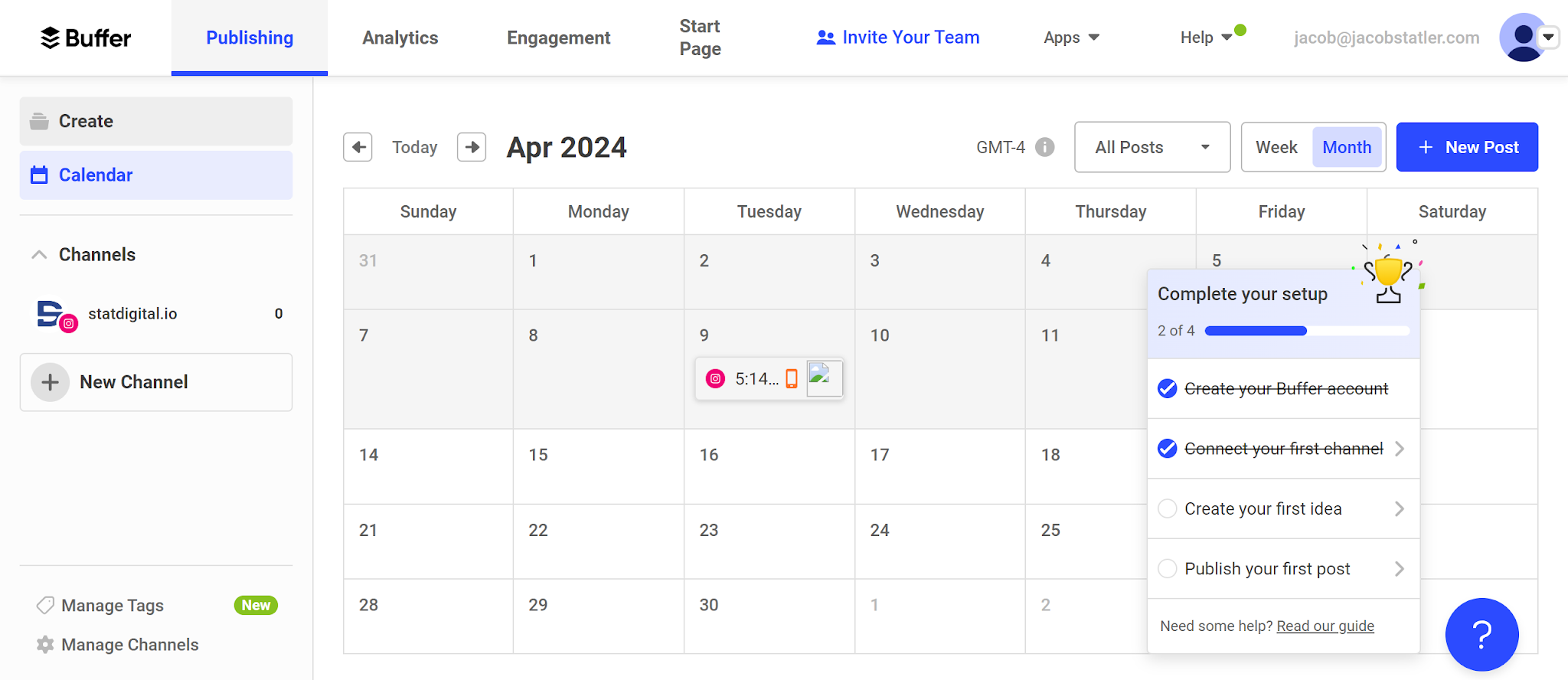
Just like Hootsuite, Buffer lacks a tool for finding top posts and focuses more on planning, scheduling, and analytics.
Buffer may not be the best fit if your priority is content discovery, but it's great for teams and data-driven strategies.
Pros
- Offers a free forever plan
- Team collaboration features
- In-depth analytics & dashboard
- Supports the social media platform, Mastodon, unlike a lot of tools on this list
- Great for converting your social traffic into sales with its link shortener and landing page tools
Cons
- No features to find the top content in your industry
- Pricing can get expensive because they charge for each social media platform you use
Key features
- Scheduler – Plan and publish platform-specific content to Instagram, TikTok, LinkedIn, Facebook, Pinterest, YouTube, Threads, X, Mastodon, and Bluesky from one dashboard
- AI Assistant – Repurpose posts, rewrite drafts, and generate new ideas instantly with built-in AI that adapts to your tone
- Collaboration – Assign roles, manage approval workflows, and leave internal comments on drafts with real-time updates
- Shared Calendar – Track all scheduled posts in a visual team calendar with role-based permissions and scheduling control
- Community – View all comments across platforms, prioritize replies, and use sentiment labels to respond faster from a single workspace
- Insights – Get a deeper look at your followers’ behavior, content preferences, performance, engagement trends, audience growth, and best times to post for each channel with exportable reports
- Content Workspace – Store content ideas, tag and categorize drafts, and track progress from creation to publication
- Integrations – Import and manage media from Google Drive, Dropbox, Canva, RSS feeds, and browser extensions
- Link in Bio (Start Page) – Build a customizable link-in-bio landing page with themes, media, product links, and performance tracking
Why is Buffer the best tool for simplicity?
Buffer’s clean, minimal interface keeps scheduling, posting, and collaboration fast. Since there’s no bloated feature set to wade through, it earns its tag as the best tool for simplicity on this list.
Pricing
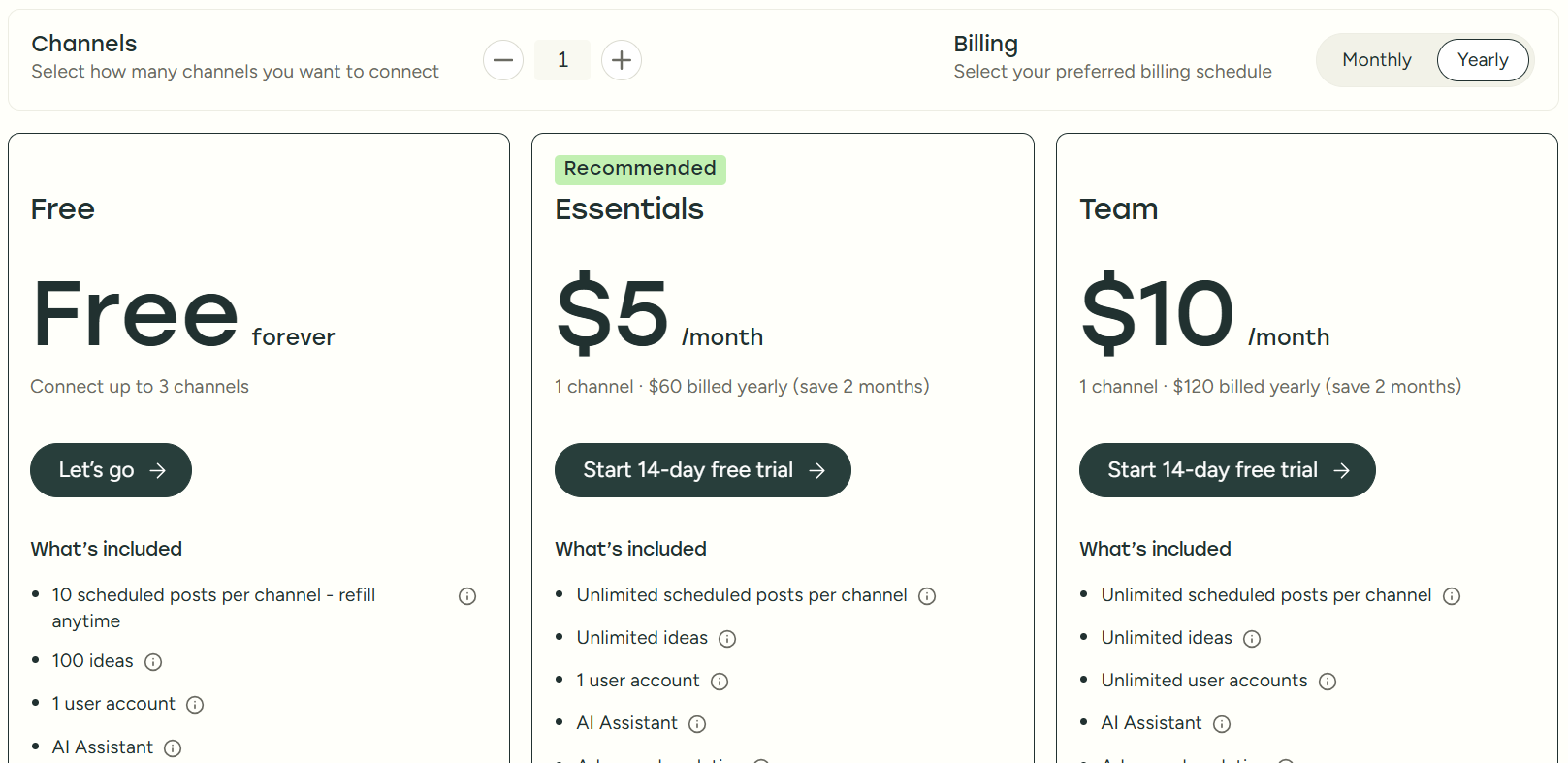
Unlike some of the other schedulers on this list, Buffer charges you per channel that you use.
Buffer offers 3 main pricing plans:
- Free forever - 1 user and 3 accounts with 10 scheduled posts per channel (refillable queue)
- Essentials - $5/month per channel, paid annually for 1 user
- Team - $10/month per channel, paid annually for unlimited users
Customer reviews
Most Buffer customers rate the software between 4-5 stars across thousands of online reviews. Most users value its scheduling, social media management, and analytics features. On the other hand, users sometimes comment that the UI is a bit funky and dislike the pricing structure being based on channels.
Here's what Void D. has to say about using Buffer:
"Overall my experience with buffer was really great. I ended up moving to another post scheduler due to the necessity of multiple post queues, but really miss the overall ease of use with buffer.
Pros:
Buffer has a very easy to use interface, and auto-scheduling and reorganizing scheduled posts is extremely easy. The workflow feels intuitive and I never had to pull out the FAQ to figure out how to do what I wanted.
Cons:
The lack of ability to have multiple post scheduling queues for a single social media account. One queue works fine if you only post a single type of content, but having to manually schedule or re-organize the schedule if you have multiple post types (images, video, text, etc) gets really tedious."
4. For posting on Pinterest: Tailwind
We all know that Pinterest is the oddball because almost none of the "standard" social media rules apply to it.
In other words, success on Pinterest requires a different focus, and Tailwind is designed to give you that advantage.
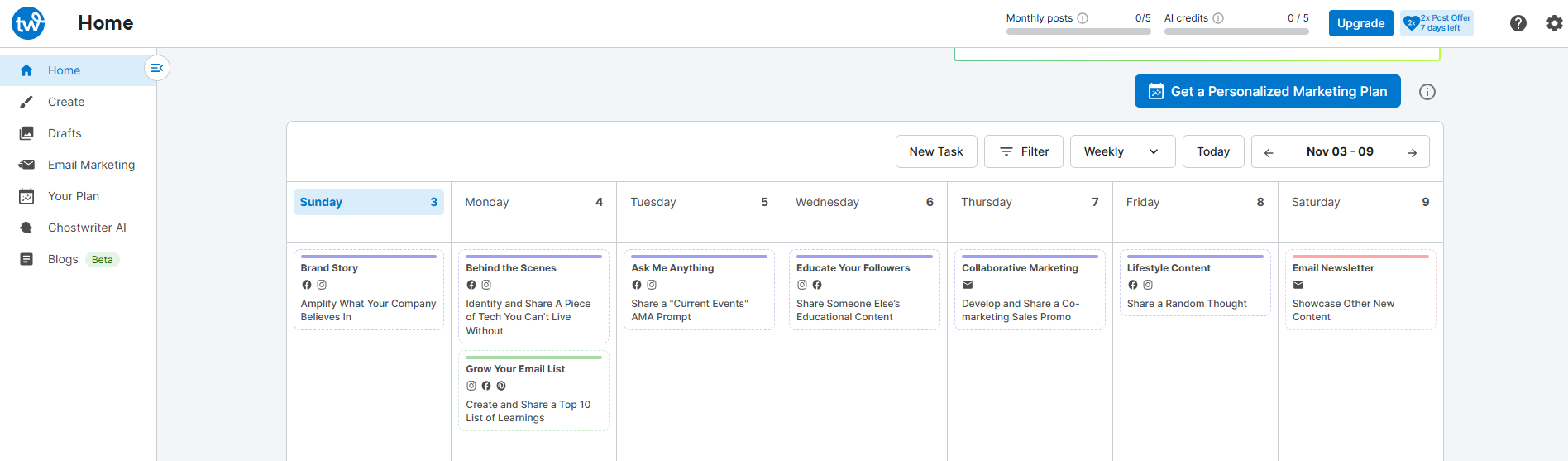
Tailwind is Pinterest-only. If you post anywhere else, you'll need a second tool. (That can get expensive, which is why most people on 2+ networks pick a generalist and treat Tailwind as a Pinterest add-on.)
Pros
- Easy-to-understand reporting and analytics
- Creates and writes Pins for you automatically every week
- Pinterest keyword research and rank tracking built in (nothing else on this list does this)
Cons
- More expensive than Post Planner
- Priced per Pinterest account, so every extra account is a second subscription
- Pinterest only. No Instagram, Facebook, or any other network
- Some users complain about the customer support
Key features
- SmartPin – Tailwind creates fresh, keyword-optimized Pins for you every week, with unique designs and SEO-friendly filenames
- Pinterest SEO – Find the keywords your audience actually searches, save and track the ones you want to win, and see which keywords Pinterest matched to your Pins
- Pinterest Engagement – Boost your best Pins for up to 90 days and earn Turbo Pins to get them seen faster
- Pinterest Scheduler – Schedule, bulk-edit, and auto-post Pins with SmartSchedule, Pin spacing, board lists, and drag-and-drop planning
- Website Sync – Pull products and posts from your site so Tailwind can turn them into Pins
- Analytics – View post-by-post performance, compare campaigns, and export reports
Why is Tailwind the best tool for posting on Pinterest?
Tailwind provides purpose-built Pinterest tools like SmartSchedule, Pin spacing, and Pinterest keyword tracking that generic schedulers don't offer, making it the go-to scheduling tool for Pinterest.
Pricing
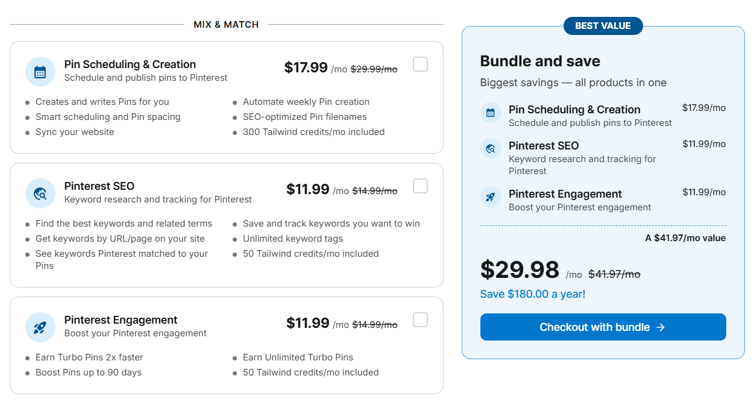
Tailwind sells 3 Pinterest products you can buy on their own or as a bundle. Every price is per Pinterest account:
- Pin Scheduling & Creation - $17.99/month paid annually ($29.99 billed monthly) with 300 credits a month
- Pinterest SEO - $11.99/month paid annually ($14.99 billed monthly) with 50 credits a month
- Pinterest Engagement - $11.99/month paid annually ($14.99 billed monthly) with 50 credits a month
- Bundle (all 3) - $29.98/month paid annually ($41.97 billed monthly)
There's a free plan to start, and extra credits cost $10 per 100.
Customer reviews
Tailwind mostly receives 4-5 star reviews from its customers across review sites. Users love that it makes creating and posting content on Pinterest easy. However, more critical reviewers mention that it's pricier than other tools and that they're not satisfied with the customer support.
Here's what Charlotte has to say about using Tailwind:
“Tailwind has honestly made Pinterest a million times easier. I can batch schedule posts, use their SmartSchedule to pin at the best times, and actually stay consistent without lifting a finger day to day.
Being able to post to schedule pins to separate boards is amazing.
If you're a busy creative trying to grow your business without burning out, Tailwind is a solid time-saver.”
5. Good for agencies: SocialPilot
SocialPilot is an all-in-one social media management app that's perfect for social media marketing agencies.
You can schedule to all the most important social media platforms and get unique white-label features to manage, collaborate, and share analytics with clients.
If you have a lot of social media accounts to manage, you'll find SocialPilot's pricing pretty reasonable. However, if you're only managing a few accounts, there are more affordable options out there for you (like Post Planner).
Pros
- Easy to use
- Team collaboration features
- White-label customization features
- Easy to optimize your posts for each platform
- Manage your social media inboxes from a single place
- Supports all of the most popular social media platforms
- Great if you have a lot of social media accounts to manage
Cons
- No free plan, just a 14-day free trial
Key features
- Scheduler – Plan and publish content across Instagram, Facebook, TikTok, LinkedIn, YouTube, Threads, X, Pinterest, Google Business, and Bluesky from one dashboard
- AI Pilot – Generate ideas tailored to each platform, repurpose content, rewrite captions in multiple languages, and bulk schedule directly from ChatGPT with SocialPilot’s AI Scheduler
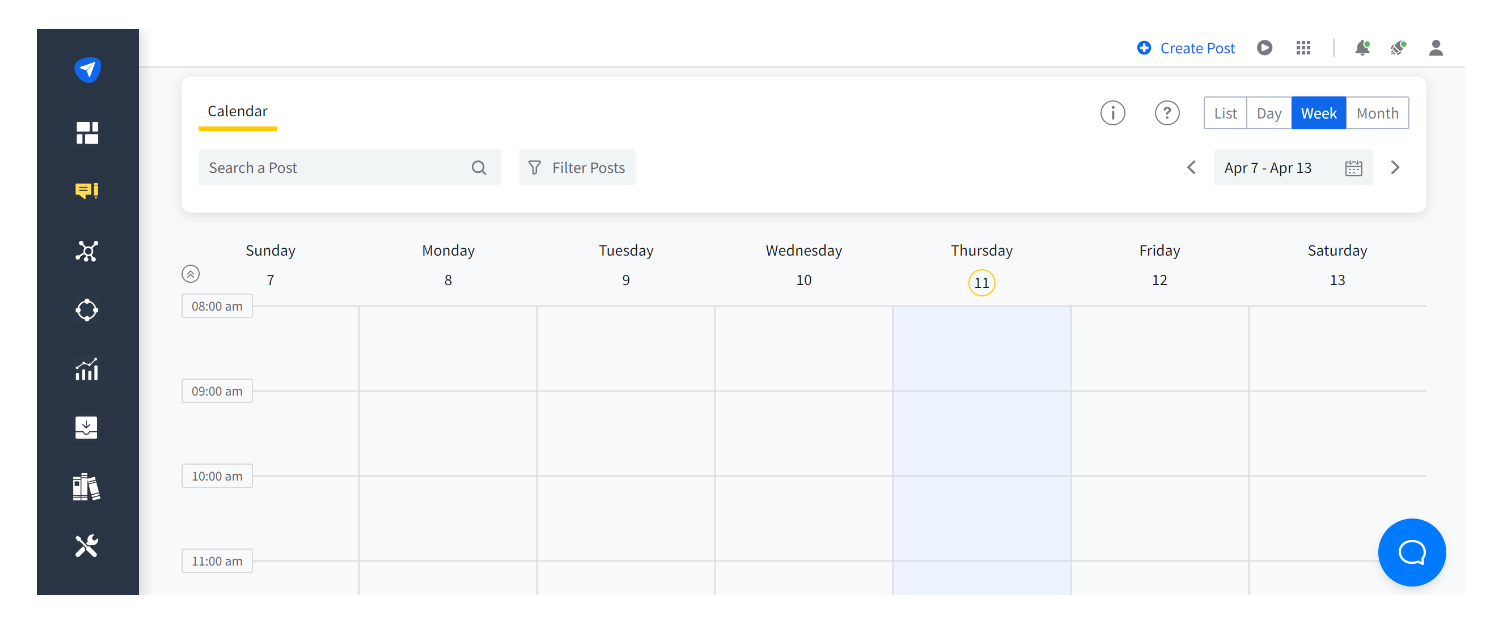
- Calendar – Visualize and manage campaigns with a drag-and-drop planner, tags, drafts, approval stages, and shareable views for clients
- Bulk Scheduling – Upload up to 500 posts via CSV and assign them to accounts, time slots, and campaigns in one step
- Content Library – Save and organize hashtags, evergreen content, branded visuals, and campaign templates for reuse
- Inbox – Respond to all social DMs, mentions, and comments from a single inbox, with tags, notes, account grouping, and AI reply refinement
- Collaboration – Assign roles (Admin, Manager, Content Scheduler), collaborate on drafts, tag teammates, and get post approvals with comment threads
- Analytics – View post, account, and campaign performance across platforms with custom dashboards and local time zone tracking. Use Competitor reports for engagement trends and insights to stay a step ahead in your industry.
- Advanced Reports – Drag and drop custom reports, add text/images for context, and schedule automated delivery with secure links
- White Label – Customize platform UI, login pages, domains, and email reports with your branding for client-facing deliverables
Why is SocialPilot the best overall tool for agencies?
White-label client dashboards, bulk scheduling of up to 500 posts via CSV, and pricing that stays reasonable as your account count grows make SocialPilot an ideal choice for agencies.
Pricing
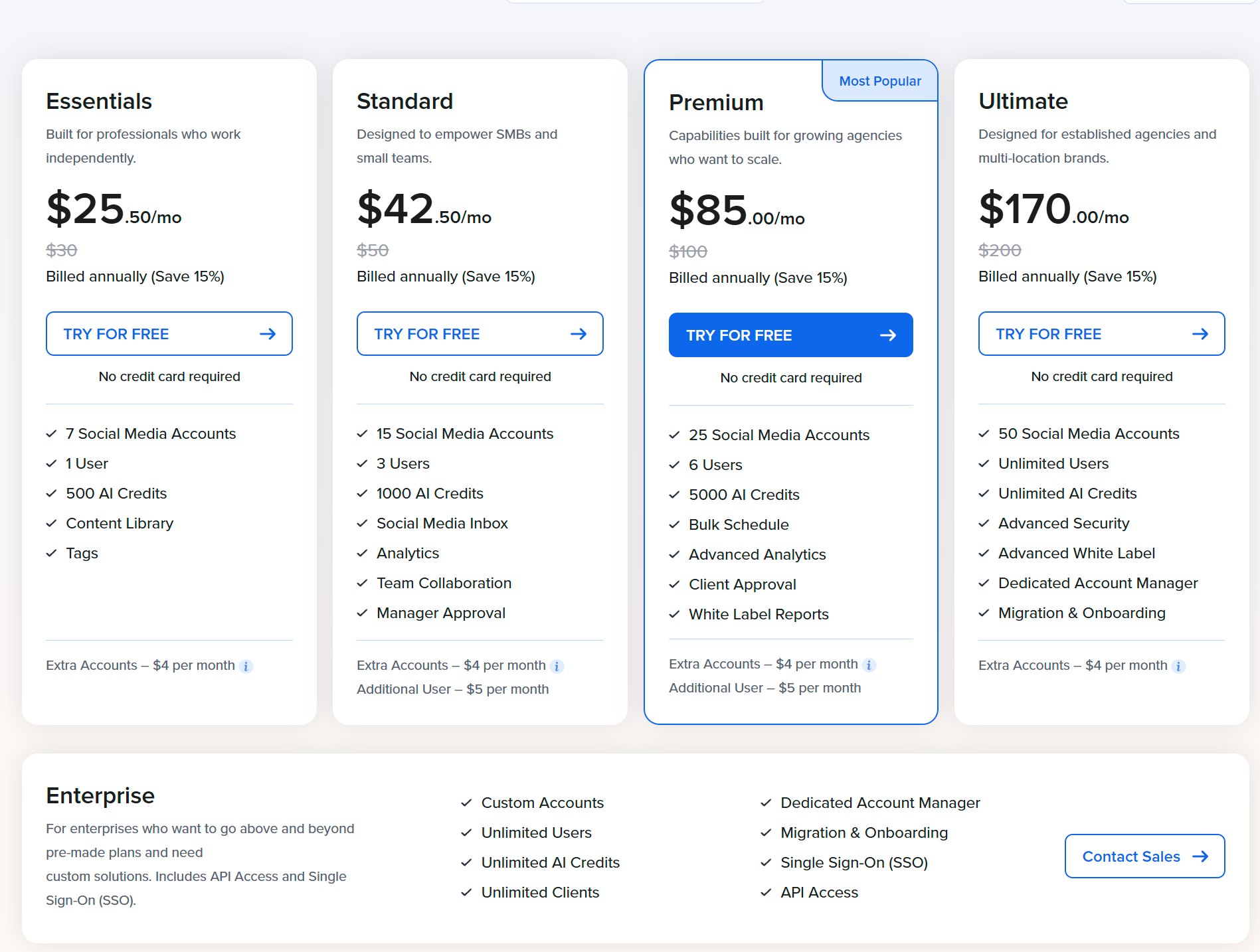
SocialPilot offers 5 main pricing plans:
- Essentials - $25.50/month, billed annually for 1 user and 7 accounts
- Standard - $42.50/month, billed annually for 3 users and 15 accounts
- Premium - $85/month, billed annually for 6 users and 25 accounts
- Ultimate - $170/month, billed annually for unlimited users and 50 accounts
- Enterprise - Contact sales for a quote, for unlimited users and custom accounts
Customer reviews
SocialPilot mostly receives 4-5 stars across online reviews. Customers love the value you get for the price, especially if they manage a lot of accounts. Finding many complaints was a struggle, although some mentioned occasional scheduling errors.
Here's what Nyika S. has to say about using SocialPilot:
“I'm happy with it. The pricing is better than Hootsuite which is what I used before; and it's almost as easy to use.
Pros:
I liked how easy it was to 1. add my team members 2. on-board them (platform is easy to learn) and 3. post and schedule content. I can also easily repost content previously scheduled.
Cons:
Pricing packages are slightly rigid- I am in between packages but I have to go with the more expensive one so I don't miss out on features. There is an inability to add a channel the same way you add a team member. I am optimistic this will be added soon.”
6. Best for Instagram: Later
Later is currently one of the most popular posting tools for Instagram. It comes with drag-and-drop scheduling, in-depth Instagram analytics, and personalized insights to improve your content.
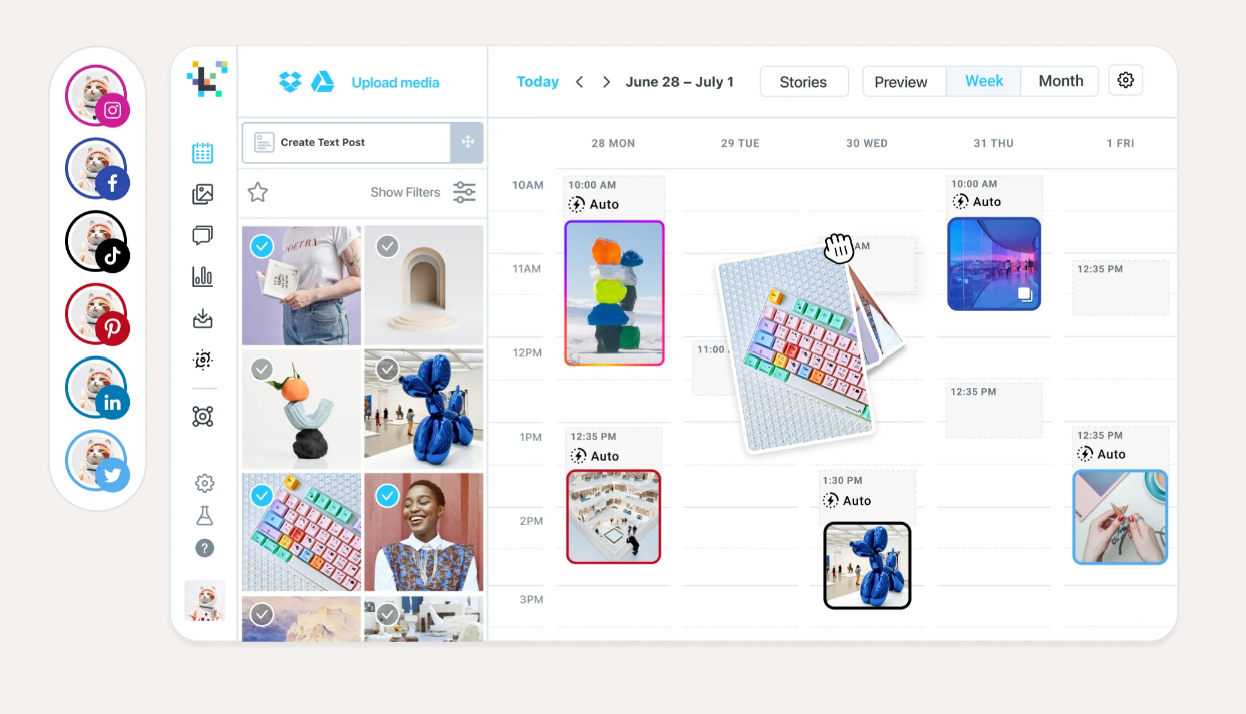
Although Later supports Instagram, Facebook, TikTok, Pinterest, LinkedIn, YouTube, Threads, and Snapchat, it's heavily focused on Instagram. That means some features will only work on Instagram, even if your other social media accounts could benefit from them.
In other words, Later is a good fit if you're an Instagram-focused marketer.
Pros
- Easy to use post scheduling tools
- Suggests the best hashtags to use
- Simple to drag-and-drop posts to your calendar
- Supports most of the major social media platforms
- Customizable link in bio tool makes it easier to use calls-to-action on Instagram
Cons
- No free plan, only a free 14-day trial
- Pricing plans don't come with many users (not ideal for teams)
- Pricier than other options on this list
- Cannot schedule posts to your Google Business profile
- No feature to curate content from around the web like Post Planner
Key features
- Scheduler – Plan and auto-publish Instagram, TikTok, LinkedIn, Snapchat, Facebook, Pinterest, YouTube, and Threads content from one calendar view
- Best Time to Post – Automatically find the highest-engagement time slots for each account based on your followers' activity
- Visual Feed Planner – Drag and drop images to design your Instagram grid and preview your feed before publishing
- Hashtag Suggestions – Get AI-powered hashtag recommendations and track performance with Instagram hashtag analytics
- First Comment Scheduling – Schedule the first comment along with your post to keep captions clean and boost discoverability
- Caption Writer – Use AI to generate on-brand, ready-to-post Instagram captions in seconds
- Content Creation Tools – Source UGC, import from Canva, and edit photos and videos with cropping, filters, and text overlays
- Media Library – Upload and organize all media assets across your team using folders, labels, and cloud integrations
- Social Listening – Track mentions, sentiment, trends, and influencer conversations across Instagram and TikTok to guide content strategy
- Link in Bio – Build a clickable landing page that replicates your feed layout and links each post to external URLs
- Analytics – Track engagement, reach, saves, best-performing content, and more across all major social platforms
Why is Later the best scheduling tool for Instagram?
2 key reasons: A visual grid planner built around Instagram's feed, plus a link-in-bio tool to drive traffic straight from your posts.
Pricing
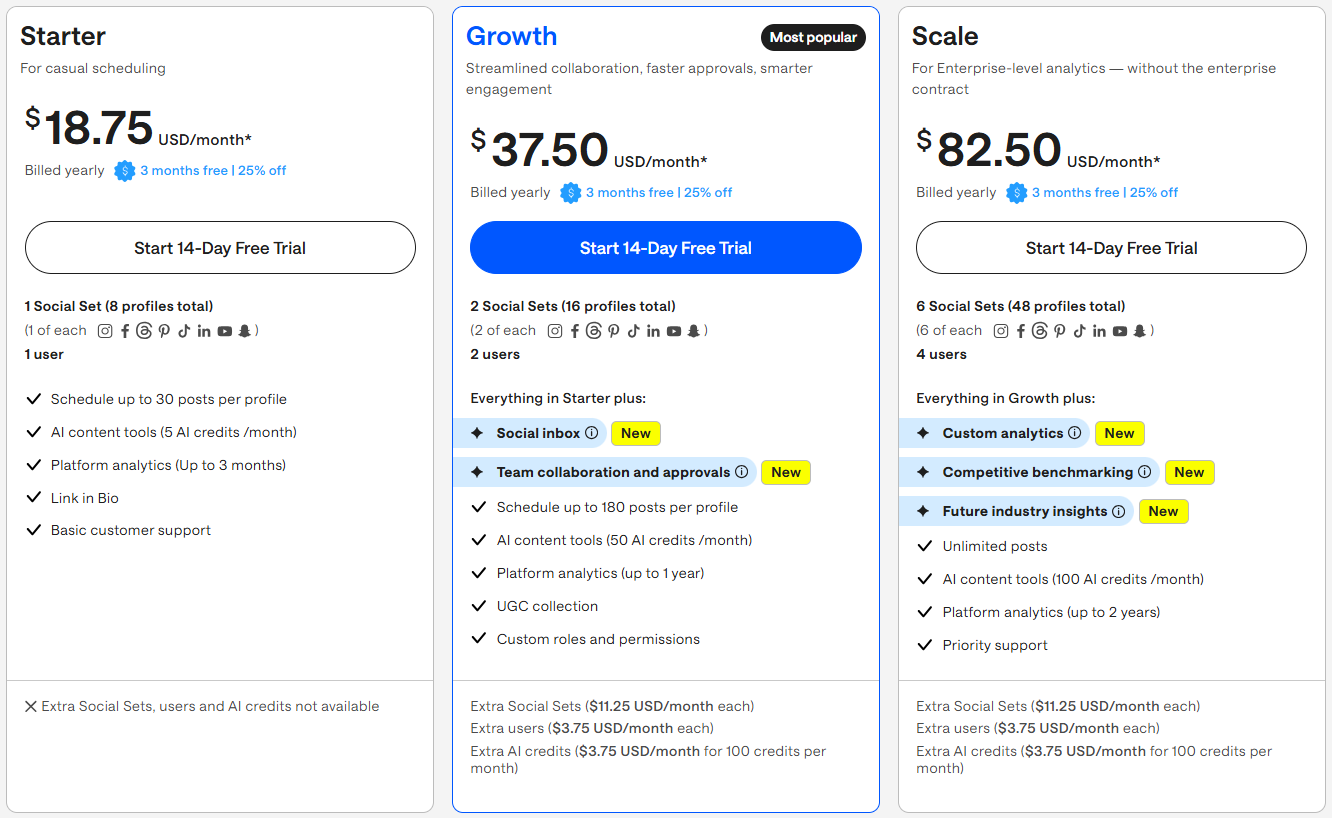
Later offers 3 pricing plans:
- Starter - $18.75/month, paid annually for 1 user and 8 accounts
- Growth - $37.50/month, paid annually for 2 users and 16 accounts
- Scale - $82.50/month, paid annually for 4 users and 48 accounts
Customer reviews
Later mostly receives 4-5 stars across online reviews. Users love saving hours by scheduling posts months in advance. Some users mention the price being higher than they'd like and the UI feeling a bit clunky.
Here's what Fiona M. has to say about using Later:
“Overall experience is 99/100 for Later. I’ve tried other scheduling programs but this is by far the best.
Pros:
Later is so easy to use and the visual grid is excellent - it’s also super easy to manage multiple profiles and multiple client social accounts. There are so many features from drafts to analytics to the linkin bio
Cons:
It’s missing LinkedIn analytics which would make it perfect and I’d love to be able to auto post stories on Instagram but otherwise all good.”
7. Good for competitor analysis: Onlypult
Onlypult is another social media scheduler that specializes in posting to Facebook and Instagram, despite being able to post on 15 total platforms.
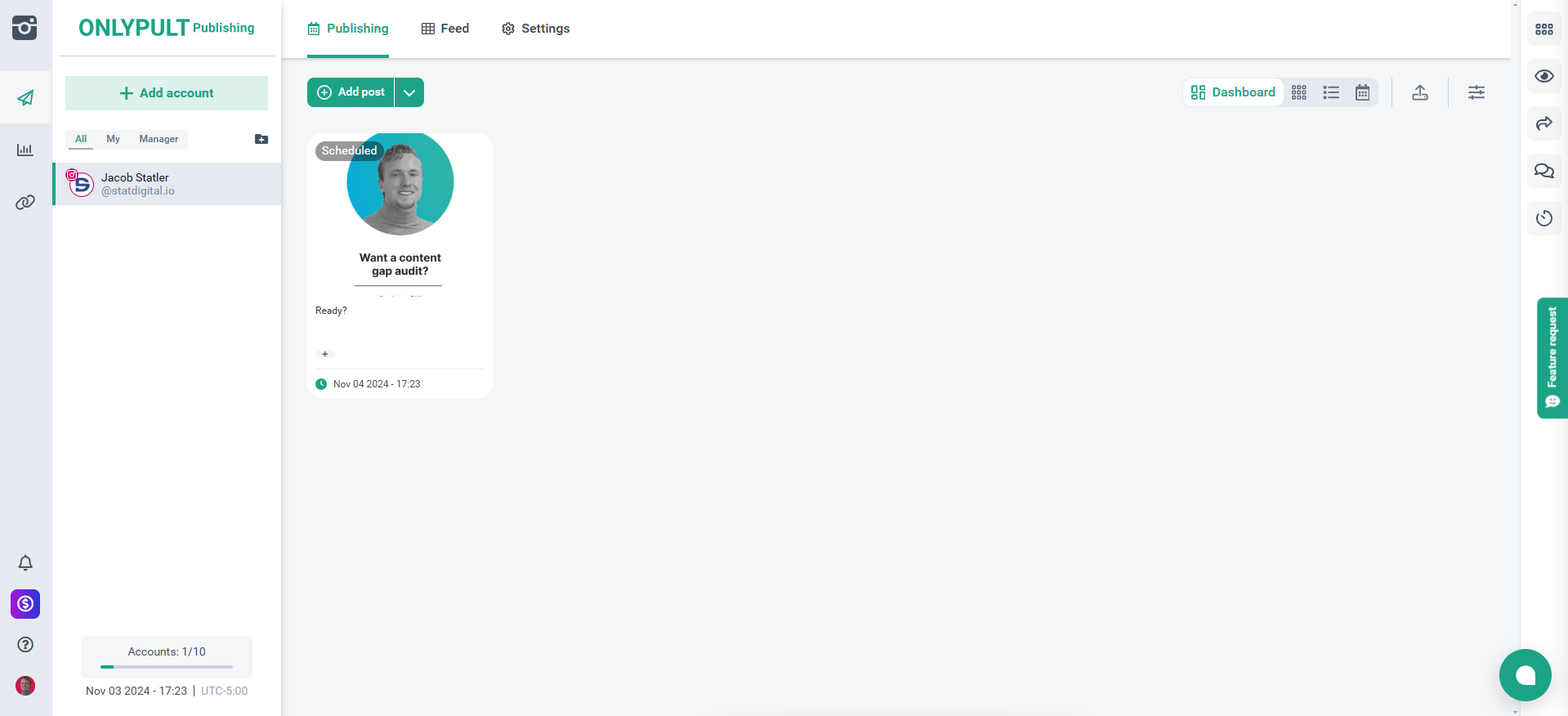
Onlypult helps you analyze your followers' patterns to decide optimal post times.
Onlypult stands out with 3 unique features: a landing page builder, a brand mention tracker, and the ability to schedule Telegram posts (something no other tools on this list currently offer).
Even though Onlypult allows you to track your competitors' strategies, it doesn't offer a full-blown content discovery system.
Pros
- Unlimited posting
- Made for Instagram and Facebook
- More affordable than most social media schedulers
- Scalable, affordable pricing for adding accounts and team members
- Supports the most social media platforms on this list
Cons
- No free plan, only a 7-day trial
- No content curation tools
- Supports other platforms, but it's not made for them as well
Key features
- Scheduling – Plan and auto-publish posts, Reels, Stories, and galleries across Instagram, Facebook, TikTok, LinkedIn, YouTube, Google Business, Telegram, Tumblr, WordPress, VKontakte, Odnoklassniki, Pinterest, Medium, Threads, and X
- Multi-posting – Upload and schedule a batch of posts at once, and drag and drop content from your desktop straight into the calendar
- Crossposting – Automatically adjust and publish content across multiple platforms from one draft
- Social inbox – Respond to direct messages, comments, and mentions from Instagram, Facebook, Threads, and Google Business from one workspace. You can also set routing rules and measure response quality over time to ensure top-notch customer support.
- Media Editor – Edit images and videos using built-in photo editor, video editor, watermark tools, and a stock media library
- Team Collaboration – Invite teammates, assign roles, approve posts, leave comments, and track activity logs across accounts
- Hashtag Tools – Access a preset hashtag library, create saved sets, and use filtering by tag or content type in the planner
- AI Tools – Generate captions and hashtags using built-in AI suggestions to speed up content creation
- Repetitive Posts – Set content to automatically repost on a recurring schedule across selected accounts
- Builder – Create micro landing pages and multi-links using Onlypult Builder with custom blocks, images, buttons, and contact info
- Analytics – Track follower growth, audience demographics, reach, impressions, best posting times, story performance, and post types
- Reports – Create branded, customizable dashboards with daily monitoring and scheduled exports
Why is Onlypult the best scheduling tool for competitive analysis?
With Onlypult, you get a brand mention tracker and follower-pattern analysis that let you monitor what's working (and who's watching) across your competitors' accounts.
Pricing
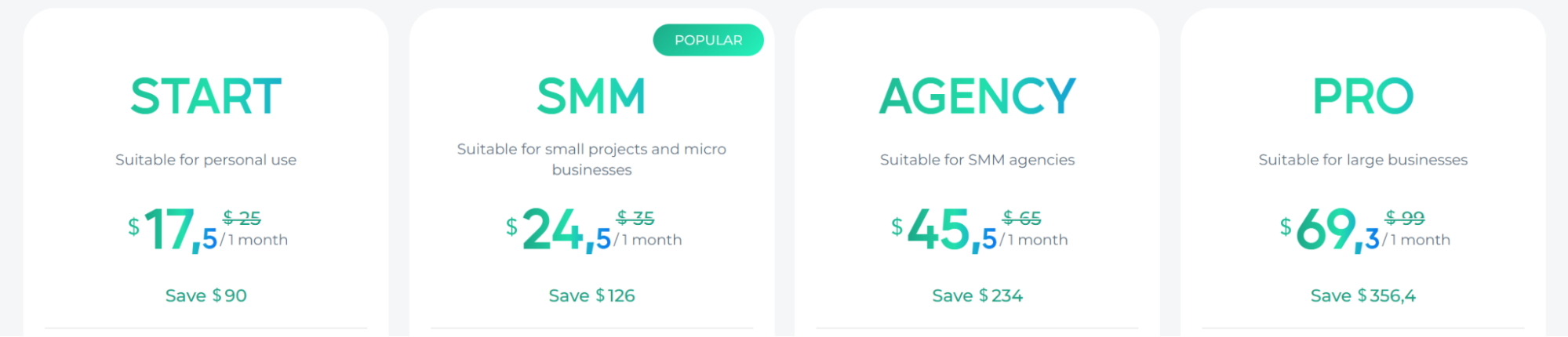
Onlypult offers 4 main pricing plans:
- Start - $17.50/month paid annually for 2 users and 5 accounts
- SMM - $24.50/month paid annually for 3 users and 10 accounts
- Agency - $45.50/month paid annually for 10 users and 25 accounts
- Pro - $69.30/month paid annually for 20 users and 50 accounts
Customer reviews
Onlypult has the fewest online reviews of any schedulers on this list, but of the reviews it has, it mostly gets 4-5 stars. Customers value Onlypult's Instagram-first approach. However, some critics complain that the platform’s analytics abilities can be improved.
Here's what one verified user has to say about using Onlypult:
"Using Onlypult, I have managed Social channels easily. For me, it is key the Ig preview and the AI help for the captions
I do not like the fact that the pages/profiles of the same client are not really synchronised, so you have to deal them one by one. Also the calendar view is by social media channel, I would prefer a complete view by date.
It is a platform for planning, so you can prepare/plan posts in advance."
8. Great for comprehensive scheduling: Sprout Social
Sprout Social, an OG in social media management since 2010, stands out for its robust reporting, teamwork collaboration, and brand sentiment analysis.
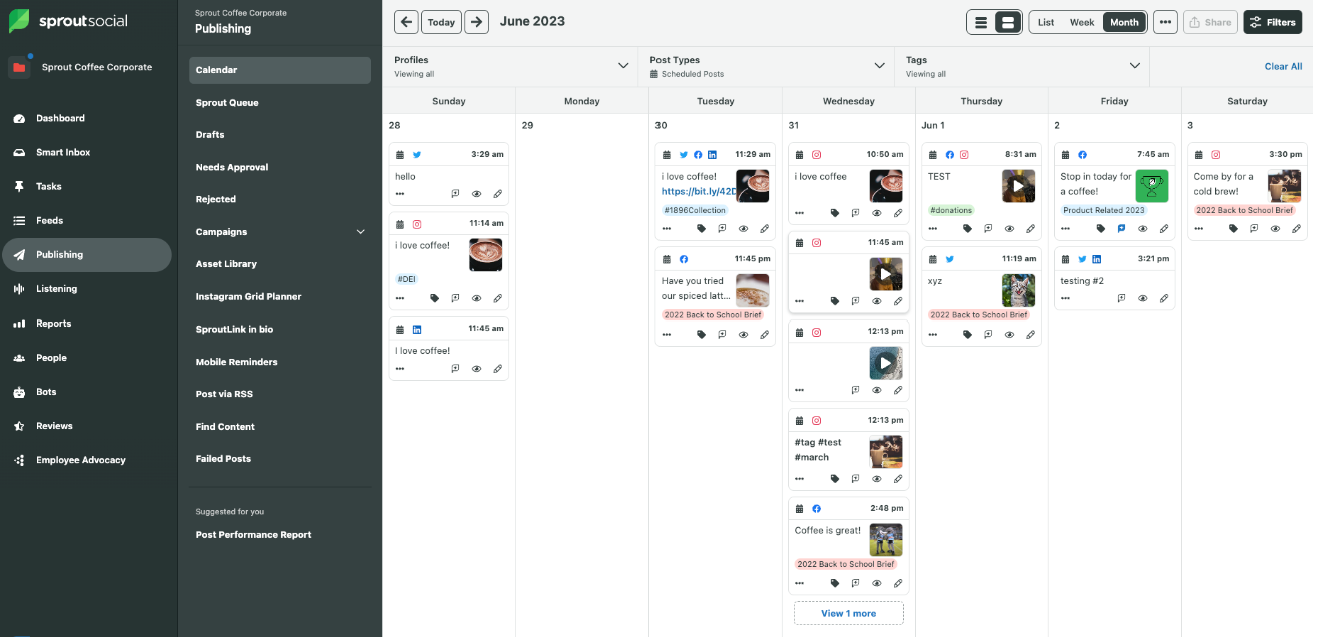
My favorite thing about Sprout Social is how comprehensive it is. It offers a wide variety of tools that can help you improve your social media posting in almost every way.
One of the drawbacks of Sprout Social is the cost. It might be cost-prohibitive for smaller businesses that can't afford a hefty subscription fee for social media management.
Pros
- Easy to use
- Attentive customer support
- Advanced reporting capabilities
- Easily manage comments and DMs
- Advanced team collaboration capabilities
Cons
- No free plan (there is a 30-day free trial)
- It takes time to learn all of the features
- More expensive compared to other social media scheduling tools
Key features
- Publishing – Schedule and optimize posts across platforms (Instagram, Facebook, LinkedIn, Bluesky, Pinterest, Threads, TikTok, X, and YouTube) using a central calendar, with support for Stories, Reels, Carousels, and more
- AI Content Suggestions – Generate alt text, rewrite captions, and get post ideas using Sprout’s AI Assist tools
- Optimal Send Times – Automatically select the best time to publish based on your audience's engagement history
- Link in Bio (SproutLink) – Build a visual landing page to turn your Instagram bio into a traffic driver with clickable content grids
- Social Listening – Track billions of conversations in real time, including sentiment, influencer mentions, and share of voice
- Engagement Tools – Use smart inboxes, spike alerts, and AI-recommended replies to manage customer messages and brand reputation
- Review Management – Respond to and analyze reviews from Google, Yelp, Apple App Store, and more in one place
- Analytics & Reports – Build custom dashboards with filters, comparison views, tag reports, and network-level insights
- Premium Analytics – Add advanced filtering, AI-powered insights, and dynamic stakeholder reporting with shareable links
- Employee Advocacy – Let staff share brand-approved content, track earned media value, and expand reach through personal networks
- NewsWhip – Monitor real-time news and social signals with patented social algorithms and AI agents to predict which stories will drive attention in your industry next, allowing you to shape your social strategy before competitors
- Influencer Marketing – Discover creators by topic, vet for brand safety, and manage contracts, content, and reporting in one hub
Why is Sprout Social the best tool for comprehensive scheduling?
Sprout Social combines publishing, social listening, review management, and influencer marketing in one platform, which happens to be the widest feature set on this list.
Pricing
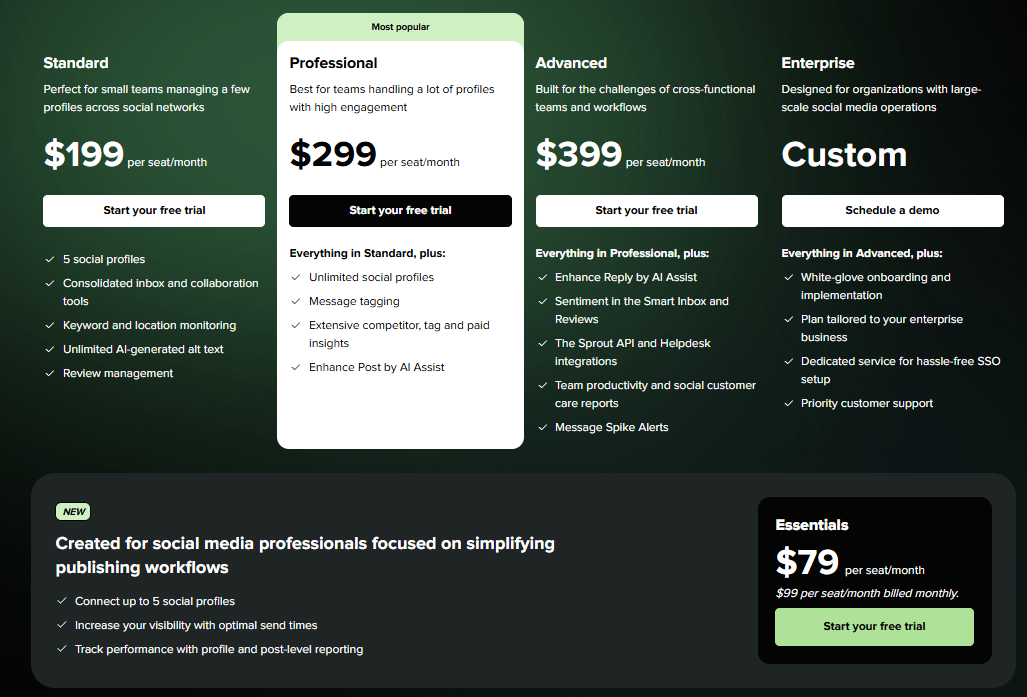
Sprout Social has 5 main pricing plans (social listening, employee advocacy, and premium analytics can be availed as paid add-ons, you won’t get them as base-plan features):
- Essentials - $79/month per seat paid annually, for up to 5 social profiles
- Standard - $199/month per seat paid annually
- Professional - $299/month per seat paid annually
- Advanced - $399/month per seat paid annually
- Enterprise - Contact Sprout Social for pricing
Customer reviews
Since Sprout Social was one of the first social media management tools, it has collected thousands of online reviews, mostly between 4-5 stars. Customers love that it's loaded with plenty of advanced features like the Smart Inbox and reports. The high cost is one of the few dislikes some customers mention.
Here's what Erin L. has to say about using Sprout Social:
"It makes scheduling content across multiple businesses simple, and keeping track of analytics is just as easy. Integrating all of our profiles was straightforward as well. I also really appreciate that it points me toward the optimal time to post based on data collected directly from our profiles — it takes the guesswork out of timing.
There are occasional performance hiccups. My biggest frustration is that once you deselect a profile from a multi-channel publish, it's difficult to get it back without starting the whole process over. Pricing is also a little steep, especially when it comes to adding just a single additional seat."
9. Ideal for managing social media inboxes: Agorapulse
Agorapulse comes with advanced features that other social media schedulers don't usually have, like its unified inbox for managing comments and messages across platforms.
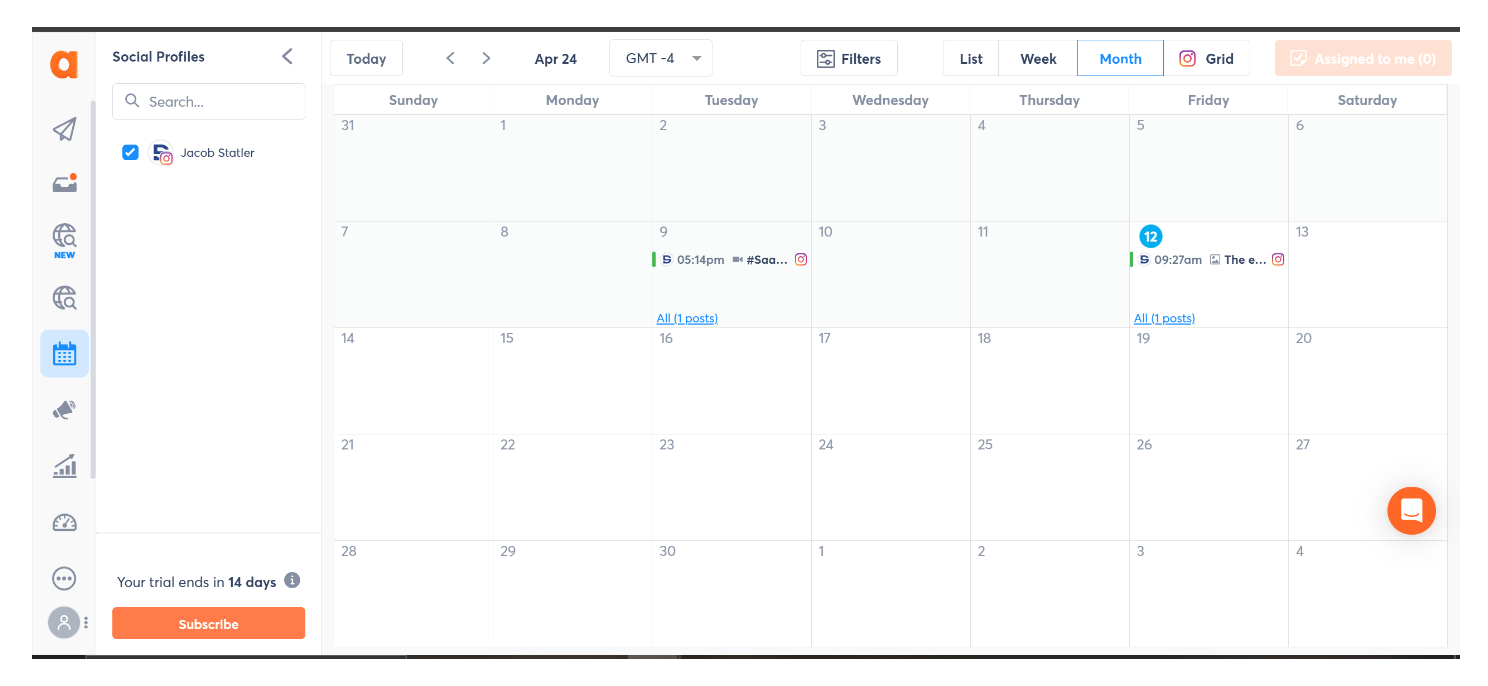
Agorapulse got rid of their free plan, but they do offer a 30-day free trial instead.
The platform has gotten more expensive over the years, but its premium pricing does come with advanced features and is comparable to the other expensive social media schedulers.
Pros
- Unlimited post scheduling on all plans
- Helpful customer support
- Makes social listening easy
- Can respond to comments from the platform
- Offers an employee advocacy feature that helps boost your reach
- Advanced reporting that tracks social analytics & your team's engagement
Cons
- No free plan beyond 30-day trial
- You can't curate high-performing content from around the web
- The paid plans start at $79/month paid annually, which is high compared to Post Planner
- Charges per user (can get expensive fast for teams)
- You'll have to buy one of the higher-tier paid plans for more advanced features like bulk scheduling
Key features
- Publishing – Schedule and auto-publish content across Instagram, Facebook, LinkedIn, YouTube, Threads, Bluesky, Google Business, TikTok, Pinterest, and X
- Shared Calendars – View and manage scheduled, published, pending, and rejected posts with clients or teammates
- Writing Assistant – Rewrite captions, apply tone/style filters, and generate AI-enhanced copy directly in the post composer
- Inbox Assistant – Consolidate messages, comments, mentions, and reviews from all platforms with saved replies, auto-labels, and assignments
- Social Listening – Track brand mentions, hashtags, and keywords across social, news, blogs, and forums with real-time alerts and sentiment analysis
- Advocacy – Launch employee or influencer campaigns with pre-approved copy, segments, and multi-version content sharing
- ROI Reporting – Attribute traffic, leads, and revenue to posts and conversations without needing to touch Google Analytics
- Reporting – Analyze post and team performance, track replies and moderation metrics, and export customizable reports
- PulseLink in Bio – Build branded link pages with clickable grids to drive traffic from Instagram and other platforms
Why is Agorapulse ideal for managing social media inboxes?
Agorapulse’s unified inbox consolidates comments, DMs, and reviews from every platform in one place.
Pricing
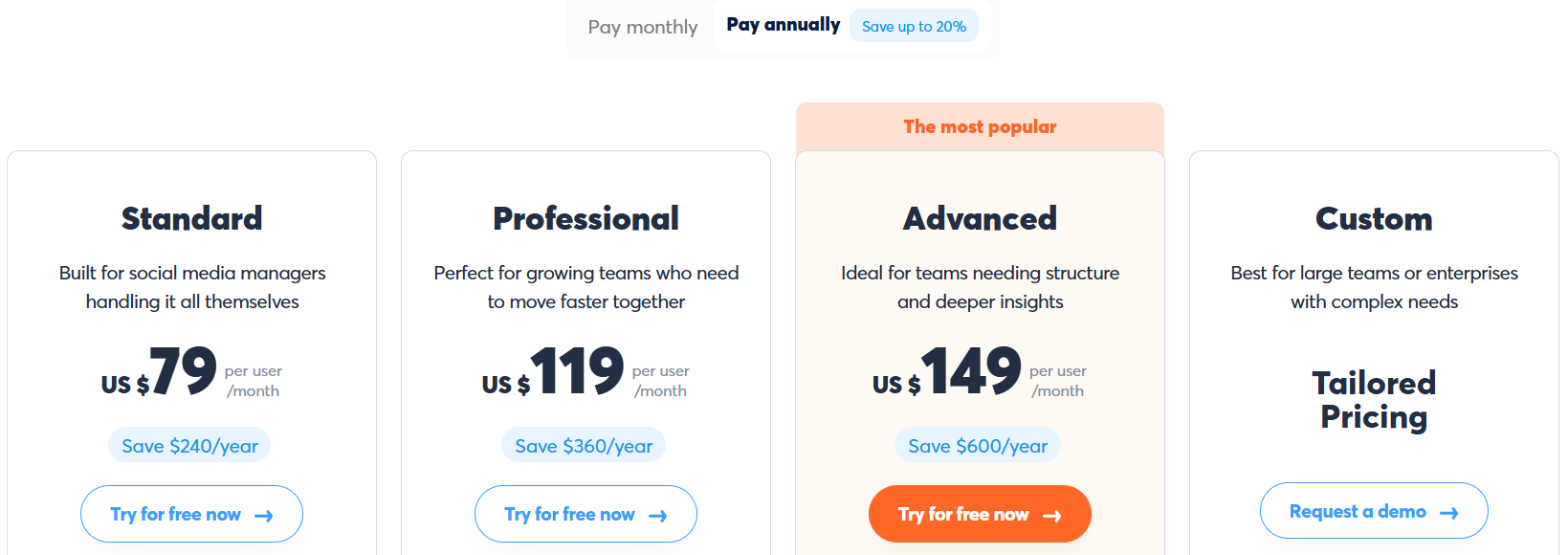
Agorapulse has 4 main pricing plans and a 30-day free trial:
- Standard - $79 per user/month billed annually
- Professional - $119 per user/month billed annually
- Advanced - $149 per user/month billed annually
- Custom - Contact Agorapulse for pricing
Customer reviews
Most customers rate Agorapulse 4-5 stars across online reviews. Customers like being able to manage all of their social media DMs in one place and the ability to track brand mentions across social platforms. One of the most common criticisms is the high price point for smaller businesses.
Here's what Alamgir H. has to say about using Agorapulse:
“Agorapulse has become the place where we manage pretty much everything related to social media. On projects where marketing, design, and development all have a say before something goes live, it's normal for a post to go through several rounds of review. Being able to prepare everything in advance and let each person approve their part has saved us from a lot of last-minute changes. I've also noticed they've put a lot of work into improving social listening, reporting, and campaign management, especially in the analytics dashboards. The Social Inbox has probably been one of my favorite features. Having comments, mentions, and messages all in one place makes it much easier to keep up without jumping between platforms. Scheduling works reliably, the platform feels responsive, and as a developer, I always appreciate software that just works without constantly asking for my attention.”
10. Good for scaling agencies: Planable
Planable is a social media scheduling tool that offers content collaboration features that allow you to communicate with your team internally.
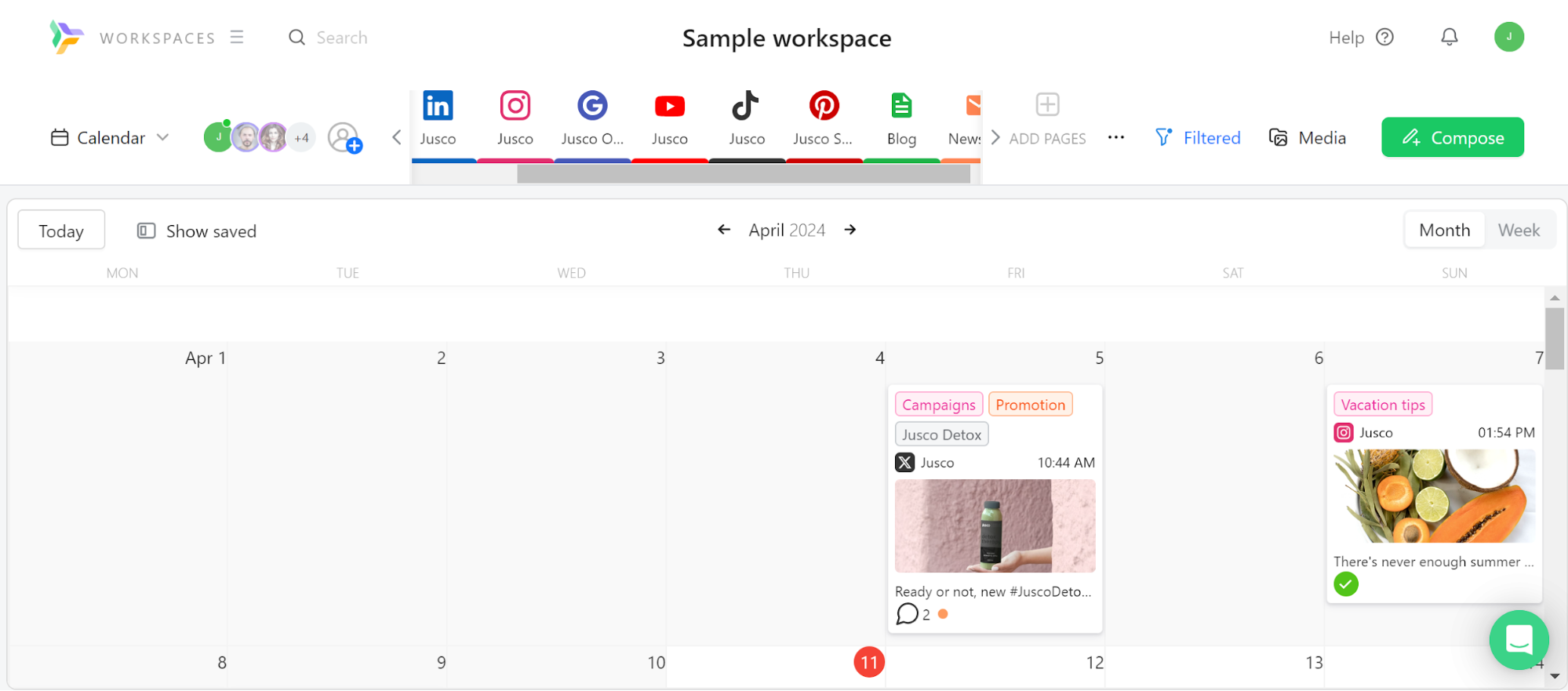
I'd say that they have one of the better user experiences out of most alternatives because of how quickly you can get to any feature in 1-2 clicks.
One feature Planable lacks is a feature for curating content. They do offer GIFs, but I couldn't find any other form of media that comes with the platform.
Pros
- Quick AI content features
- Helpful customer support
- Easy-to-use user experience
- Easily swap between post views
- Pricing is very customizable based on workspaces and users
- Comes with content collaboration features that make managing clients easier
Cons
- Very limiting posting limits compared to other tools
- Doesn't offer native stock images or videos, but you can get them through their Canva integration
- Pricing is scalable, but can get pricey if you have a lot of users
- Can't publish to X on the free plan
Key features
- Post Composer – Create grouped posts across multiple platforms, edit visuals, and customize for each channel from one place
- Visual Calendar – Plan, drag-and-drop, and organize content with color-coded labels and campaign filters
- Approval Workflows – Assign roles, manage permissions, and build multi-step approval flows with shareable links for stakeholders
- Internal Collaboration – Leave comments, annotations, and suggested edits with full version history and resolution tracking
- Universal Content – Draft, format, and collaborate on non-social content like blog posts, newsletters, and creative briefs
- AI Tools – Generate captions, rewrite posts, suggest hashtags, and repurpose content using built-in AI tools
- Scheduling Tools – Schedule posts, Stories, Reels, Carousels, and recurring content with support for first comments, location, alt text, and tags
- Grid Preview – Drag and drop posts to visually plan and align your Instagram feed layout
- Media Library – Centralize all visuals, reuse posts, and integrate directly with Canva for asset design
- Social Inbox – Monitor and respond to comments and messages across platforms, and organize them by status and sentiment
- Analytics & Reporting – Track engagement, audience demographics, and top-performing content with shareable PDF or link-based reports
- Mobile App – Review, approve, schedule, and get notified on the go with iOS and Android apps
Why is Planable a good scheduling tool for scaling agencies?
Planable’s multi-step approval workflows with shareable links let clients sign off on content without needing platform access.
Pricing
Planable offers 3 main pricing plans:
- Basic - $33/month per workspace paid annually (60 posts/workspace/month)
- Pro - $49/month per workspace paid annually (150 posts/workspace/month)
- Enterprise - Contact Planable for custom pricing
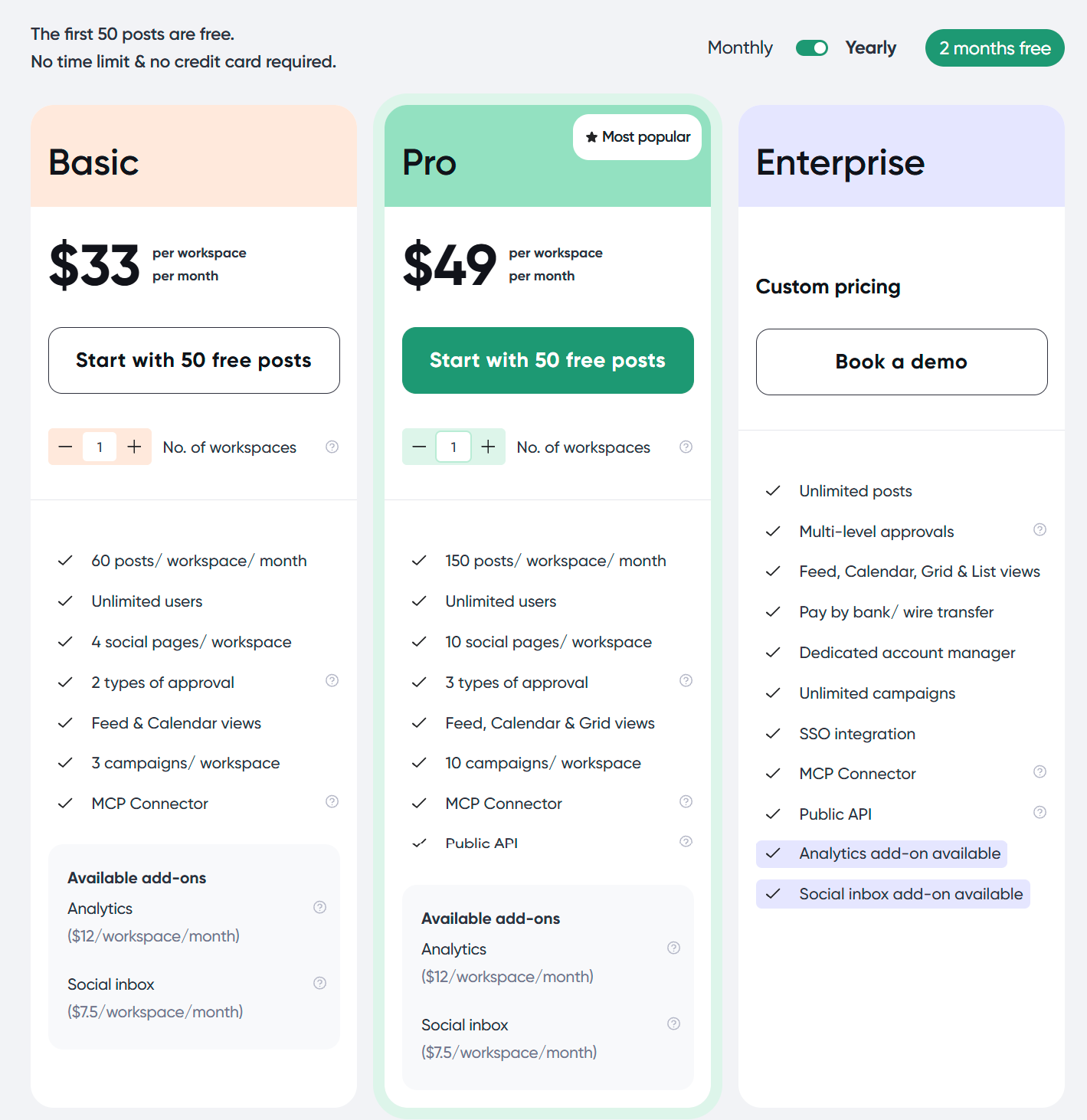
The first 50 posts are free across Basic and Pro plans. You can also avail the Analytics and Social inbox features as affordable add-ons for the Basic and Pro plans.
Customer reviews
Planable mostly receives 4-5 stars across customer reviews online. Users commonly praise its collaboration abilities and its simplicity. Meanwhile, one common thing reviewers criticize is its lack of reporting abilities.
Here's what Andrea has to say about using Planable:
"Planable has truly changed how we manage our content and social media strategy execution.
For me, it’s an all-in-one social media management platform that makes planning and scheduling both visual and intuitive. I can see our content calendar, drag and drop posts, and collaborate in real time.
I would say that the value of Planable is its efficiency and ease of use. Everything happens in one place. It helps our small team work like a big one: structured, aligned, and fast.
I can’t recommend it enough."
11. Best for collaborative planning: Loomly
Loomly is designed to help businesses manage their entire publishing process from start to finish, making it a great option for those seeking a feature-heavy social scheduling tool.
Loomly redesigned its interface in 2026. I found it easy to navigate, and the onboarding is easy to follow.
Loomly is one of only 3 tools on this list that supports Snapchat (Later and Vista Social are the others).

Pros
- Intuitive to use
- Responsive customer support
- Recommends posts based on holidays
- Can manage comments and DMs from one place
- The approval feature makes managing client content easier
Cons
- The free plan (if your account gets it) caps you at 5 posts a month, and the lowest paid plan is $49/month paid annually
- No X (Twitter) publishing
- Although it has some content curation features, it doesn't help you find viral content like Post Planner
Key features
- Post Planning & Scheduling – Plan, schedule, and auto-publish content across multiple platforms using a visual content calendar
- Approval Workflows – Customize multi-step content approval processes with mockups, commenting, and role-based permissions, and get instant notifications on Slack and Microsoft Teams to help everyone stay on the same page
- Campaign Management – Organize campaigns with labels, track post performance, and view upcoming posts in calendar or list mode
- Post Optimization Tips – Get channel-specific recommendations to improve post engagement before publishing
- Hashtag Manager – Save and reuse hashtag sets and get recommendations for trending hashtags by platform
- Post Ideas – Discover daily post suggestions and trending content ideas from within the platform
- Community Management – Respond to DMs, mentions, and comments across platforms with a shared inbox and saved replies
- Analytics & Reporting – Track post and campaign performance, view audience insights, and export reports in PDF or CSV
- Link Shortener – Use Loom.ly to track post clicks and campaign-level UTM performance
- Canva, Giphy, Unsplash, and Google Drive – Create or import assets directly into Loomly's media library for post design and publishing
- Platform Coverage – Supports Facebook, Instagram (including Reels, Stories, Carousels), LinkedIn, TikTok, YouTube, Threads, Google Business, Pinterest, and Snapchat
Why is Loomly the best scheduling tool for collaborative planning?
Multi-step approval processes with mockups, commenting, and Slack/Teams notifications keep everyone aligned before anything publishes.
Pricing
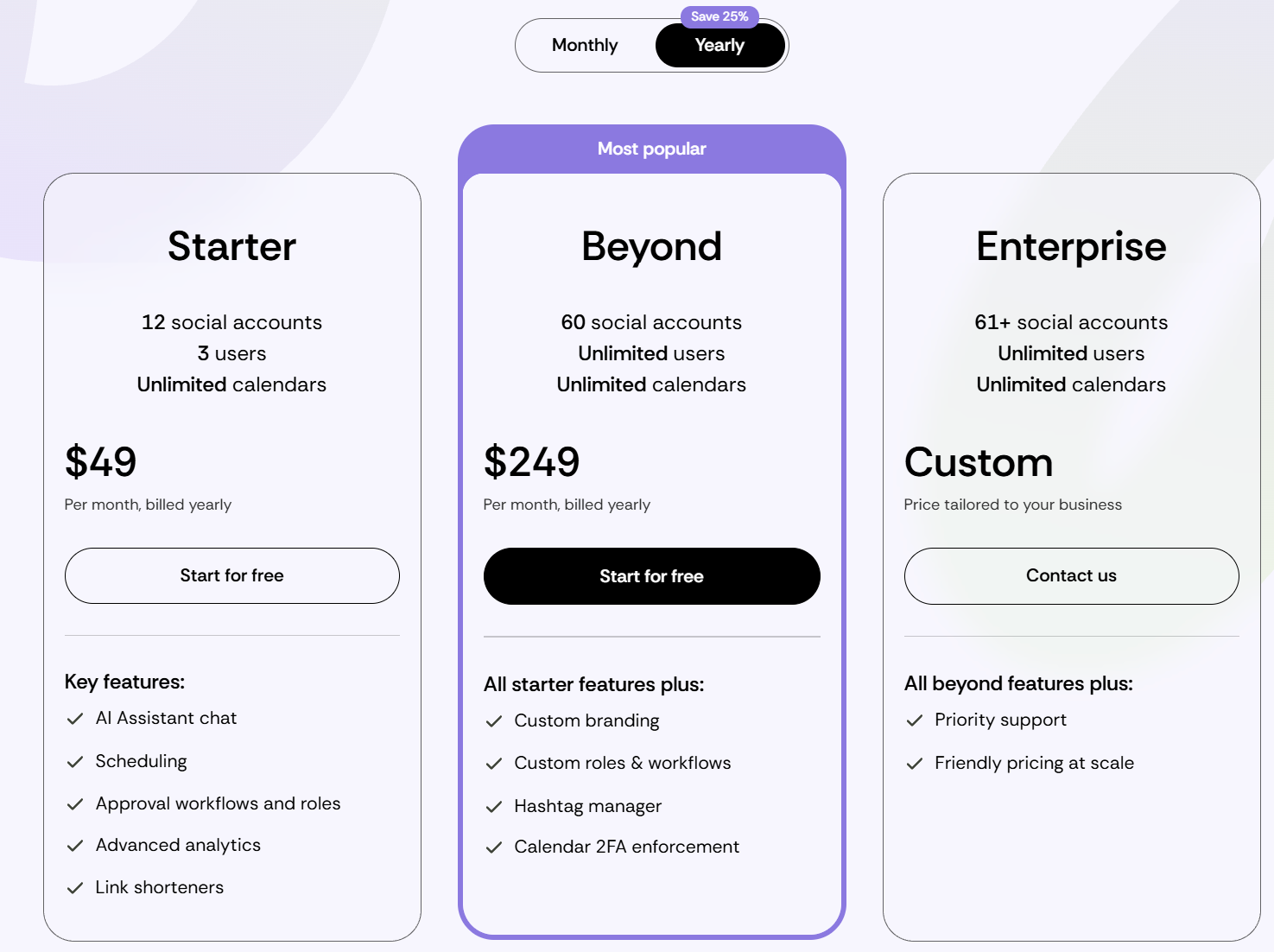
Loomly offers a free plan and 3 paid plans:
- Free - 1 user, 3 social accounts, and 5 posts per month (not shown on the pricing page, and Loomly says it isn't available to every account)
- Starter - $49/month paid annually for 3 users and 12 accounts
- Beyond - $249/month paid annually for unlimited users and 60 accounts
- Enterprise - Unlimited users and 61+ accounts (contact for a quote)
Customer reviews
Loomly mostly receives 4-5 star reviews across review sites. One of the most common pros users mention is how easy it is to use. Meanwhile, the most common complaint in older reviews was a dated interface, which Loomly has since redesigned.
Here's what Max P. has to say about using Loomly:
"What do you like best about Loomly?
I liked how intuitive and easy Loomly was to use for day-to-day social media management. It really stood out for managing multiple B2B social channels across LinkedIn, Facebook, and Instagram, and supported executive visibility on LinkedIn. Loomly made planning, scheduling, and organizing content straightforward through its clean-cut content calendars and streamlined approval workflows. I also appreciated the collaborative feel of the platform. It made it easy for team members to review content, provide feedback, and keep campaigns moving. Overall, it was a user-friendly platform that helped keep our social efforts organized and efficient.”
12. Best value for enterprise-level features: Statusbrew
Statusbrew is one of the best-value schedulers for agencies, teams, and growing businesses that want access to enterprise-level features under $200/month.
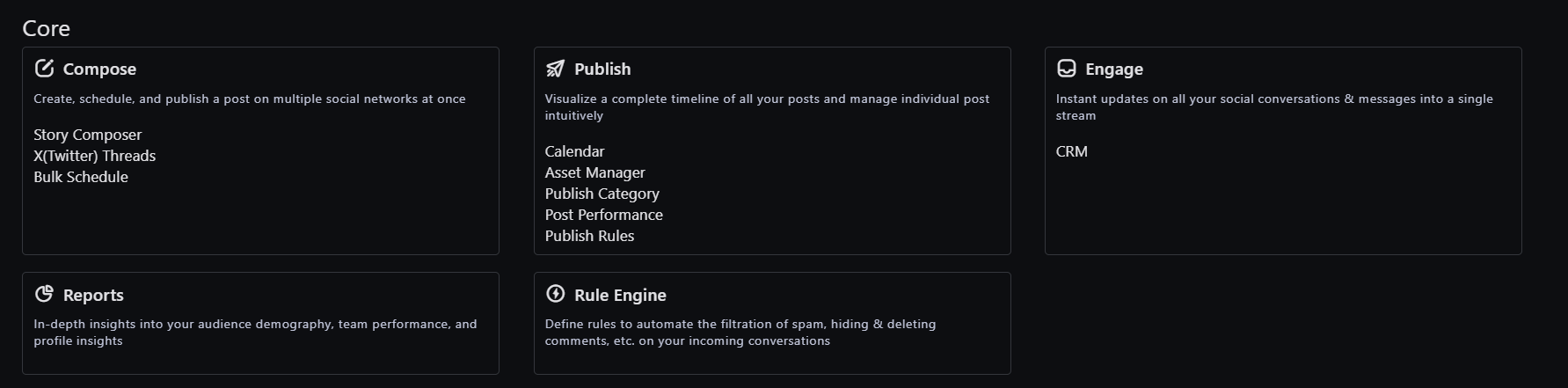
Right after trying the 14-day free trial, I was pleased with how clean and intuitive the UI was. Everything from scheduling to reporting to managing DMs felt straightforward, and I didn’t need a walkthrough to get started.
If I were part of a social media agency or a marketing team managing multiple brands, I’d pick Statusbrew for how easy it makes collaboration, content approvals, and managing all conversations (even ad comments) from one place.
It’s also great that agencies don't NEED to pay more to add teammates (they offer plans that come with more users). They offer flexible pricing for growing teams and agencies, allowing you to add social profiles and users to the plan of your choice.
The one thing that could be improved was the post preview feature. While functional, it’s not as visual as some other tools. Also, TikTok listening is not great, which isn’t a dealbreaker for me, but worth noting.
Pros
- More affordable than Hootsuite
- Clean and fast UI
- Unified inbox for organic + paid comments and reviews
- Approval workflows and post-labeling
- 250+ KPIs for reporting
- Canva, HubSpot, Bitly, and Slack integrations
Cons
- TikTok listening is not that great
- Post previews could be more visual
Key features
- Unified inbox – Manage comments, messages, reviews, and ad replies in one place
- Scheduling & approvals – Schedule posts in bulk with team workflows
- Custom reporting – Build tailored reports from 250+ metrics
- Social listening – Monitor sentiment, competitors, and crisis terms
- Labeling – Track performance by campaigns, goals, or tags
- Workspaces – Separate brands or clients with permission controls
- Integrations – Canva, HubSpot, Bitly, Slack, Google Drive, Dropbox. Compatible networks include Facebook, Instagram, LinkedIn, X (Twitter), YouTube, Threads, Pinterest, Google Business, TikTok, Bluesky, App store, and Google Play Store
Why does Statusbrew provide the best value for enterprise-level features?
With Statusbrew, you get enterprise-grade workspaces, approval workflows, and 250+ reporting metrics at a lower price point than comparable tools.
Pricing
Statusbrew offers a 14-day free trial — no credit card needed.
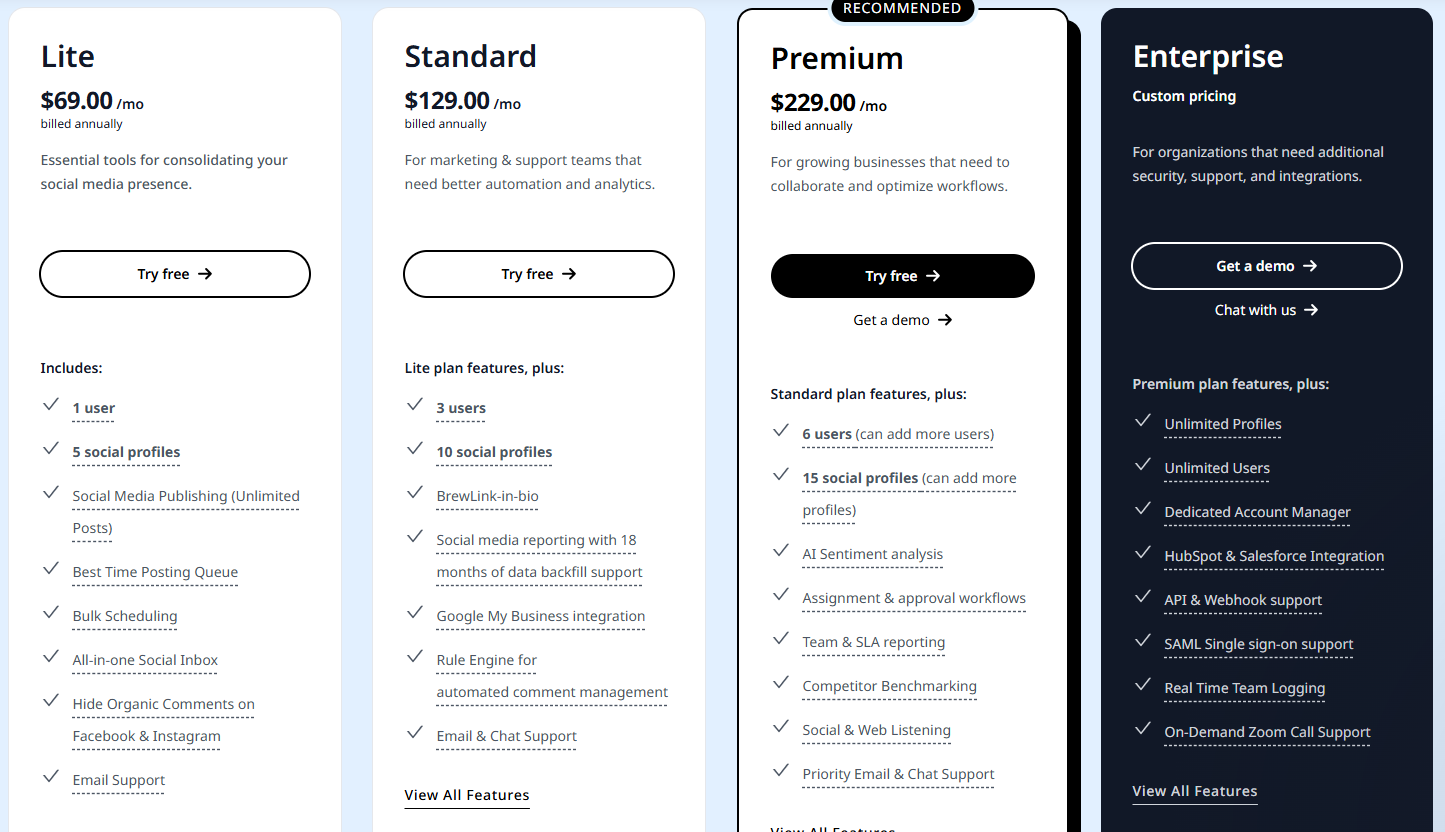
They offer 4 main plans:
- Lite – $69/month paid annually for 1 user & 5 profiles
- Standard – $129/month paid annually for 3 users & 10 profiles
- Premium – $229/month paid annually for 6 users & 15 profiles
- Enterprise – For growing teams and agencies
Customer reviews
Statusbrew holds a 4.8-star average on G2 from 250+ reviews. Users appreciate the balance of power and simplicity, especially for multi-brand management, collaborative workflows, and advanced reporting.
Here's what Pierre Yves M. has to say about using Statusbrew:
"What do you like best about Statusbrew?
We operate numerous care homes across Europe and benefit from having all social comments and private messages in one inbox. Statusbrew helps our teams respond promptly to families' and staff feedback. The sentiment tracking and social listening capabilities have helped us detect concerns early and engage with stakeholders proactively.
What do you dislike about Statusbrew?
Adjusting settings across agencies in different countries sometimes requires extra manual configuration. Automation for region-specific templates would be a brilliant addition.
What problems is Statusbrew solving, and how is that benefiting you?
Previously, communication workflows were decentralised and reactive. Statusbrew gave us a centralised platform to manage public interactions, moderate content, and track feedback trends. As a result, we’ve seen improvements in response speed, better brand reputation management, and more positive engagement from families and local communities."
13. Good for bulk scheduling: SocialBee
SocialBee is an all-in-one social media scheduler that’s perfect for small teams, freelancers, and growing agencies.
You can auto-generate entire strategies with its AI Copilot, organize posts into evergreen categories, and customize every post for each platform. I especially liked how easy it is to recycle content, manage client accounts in separate workspaces, and respond to comments from a single inbox.
SocialBee also integrates directly with Canva, GIPHY, Unsplash, and link shorteners like Bitly — making content creation and publishing more seamless.
If you’re looking for native Reddit or Mastodon support, it’s not there (yet). And while onboarding takes a bit of time, most users agree it’s worth the ramp-up.
One of its best features? You can queue up months of tailored posts across every platform — and never worry about showing up inconsistently again.
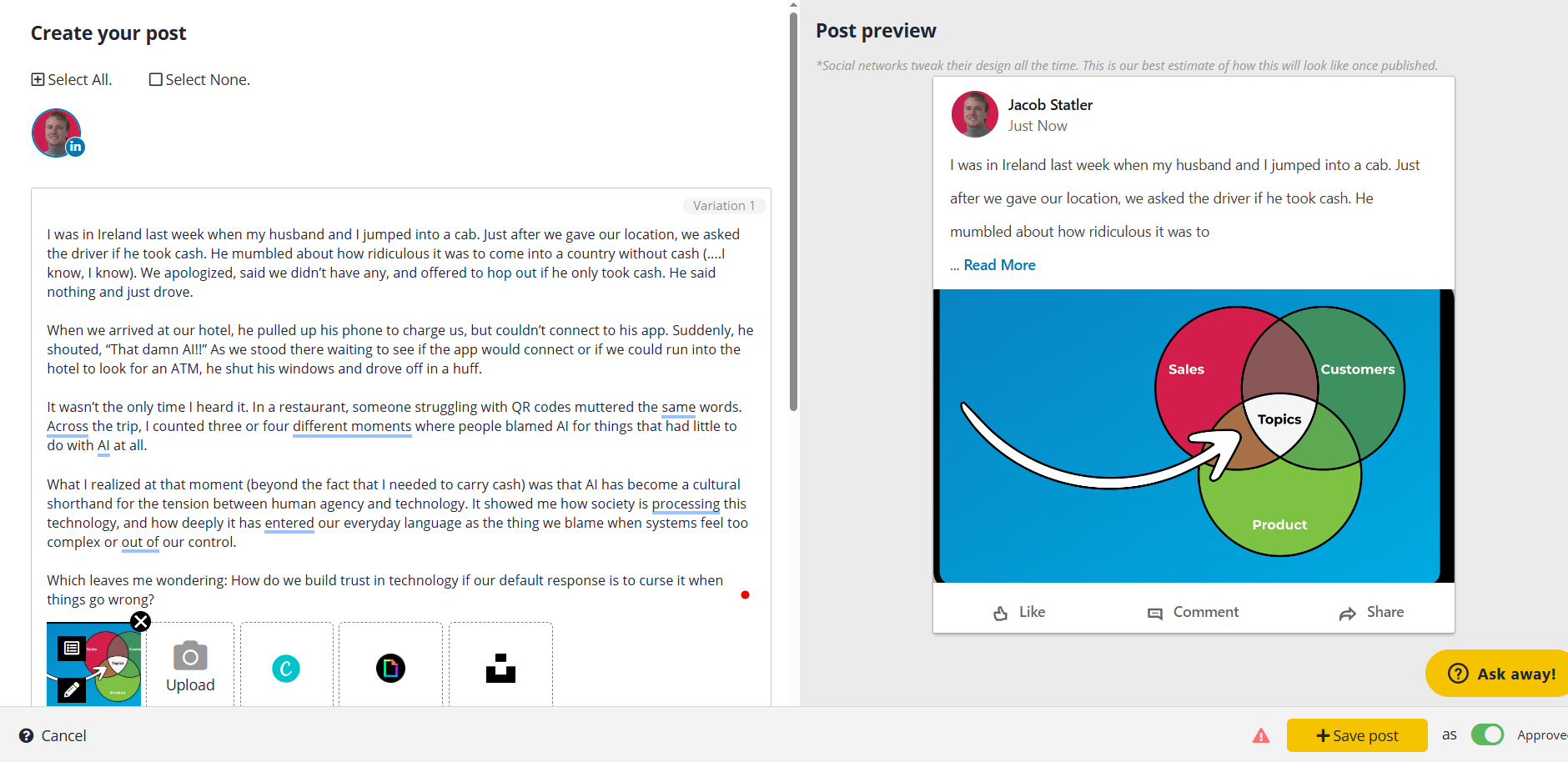
I personally like SocialBee's post composer and its customization options (you can even add bold and italics to your posts).
Pros
- Content categorization makes bulk scheduling and recycling effortless
- AI Copilot helps generate post ideas and optimize publishing times
- Easy-to-use dashboard — even non-techies say it’s intuitive
- Fast and helpful customer support (several reviewers mention this by name)
- Repost evergreen content automatically
- Platform-specific post customization saves time and boosts engagement
- Solid analytics for tracking performance across platforms
- RSS feed imports help automate blog content repurposing
- Good value for small teams — especially with the Concierge add-on
- Multi-workspace setup supports agency-style collaboration
- Universal Posting allows you to plan content for social platforms that aren’t directly supported like Reddit and Mastodon
Cons
- Learning curve upfront — setup can be overwhelming for beginners
- UI has some quirks (e.g., finding certain features like “first comment” isn’t intuitive)
- Entry-level plan limits how many profiles you can connect
- Occasional bugs or slowdowns (some users report needing to refresh the app)
- AI customization features can feel like overkill for simpler campaigns
Key features
- AI Copilot – Generates an entire posting strategy, recommends best times to post, and creates optimized captions and images
- Post customization – Tailor each post for every platform with unique text, images, hashtags, and first-comment scheduling
- Content categories – Organize posts by topic for better balance, bulk editing, and evergreen recycling
- Universal publishing – Direct scheduling to Facebook, Instagram, LinkedIn, X, Pinterest, YouTube, Google Business, TikTok, Threads & Bluesky
- Visual calendar – Use calendar, feed, list, and grid views to preview and plan upcoming posts
Canva, Unsplash, and GIPHY integrations — Design visuals and add media without leaving the dashboard - Collaboration tools – Assign roles, create workspaces, leave internal notes, and approve content via a centralized team dashboard
- Social inbox – Manage and reply to DMs, comments, and mentions across platforms from one unified inbox
- Advanced analytics – Track audience growth, top-performing posts, engagement heatmaps, UTM parameters, and PDF report exports
- Link shorteners – Integrate with URL shorteners for click tracking
- Content curation – Import blog content via RSS, use the browser extension, or manually curate posts into your library
- Engagement filters – Organize mentions, comments, and messages into custom boards and streams for easier moderation
Why is SocialBee considered a good scheduling tool for bulk scheduling?
SocialBee’s content categories make it easy to queue and recycle evergreen posts automatically across every platform.
Pricing
SocialBee offers 6 pricing plans for both solo users and agencies, and includes a 14-day free trial.
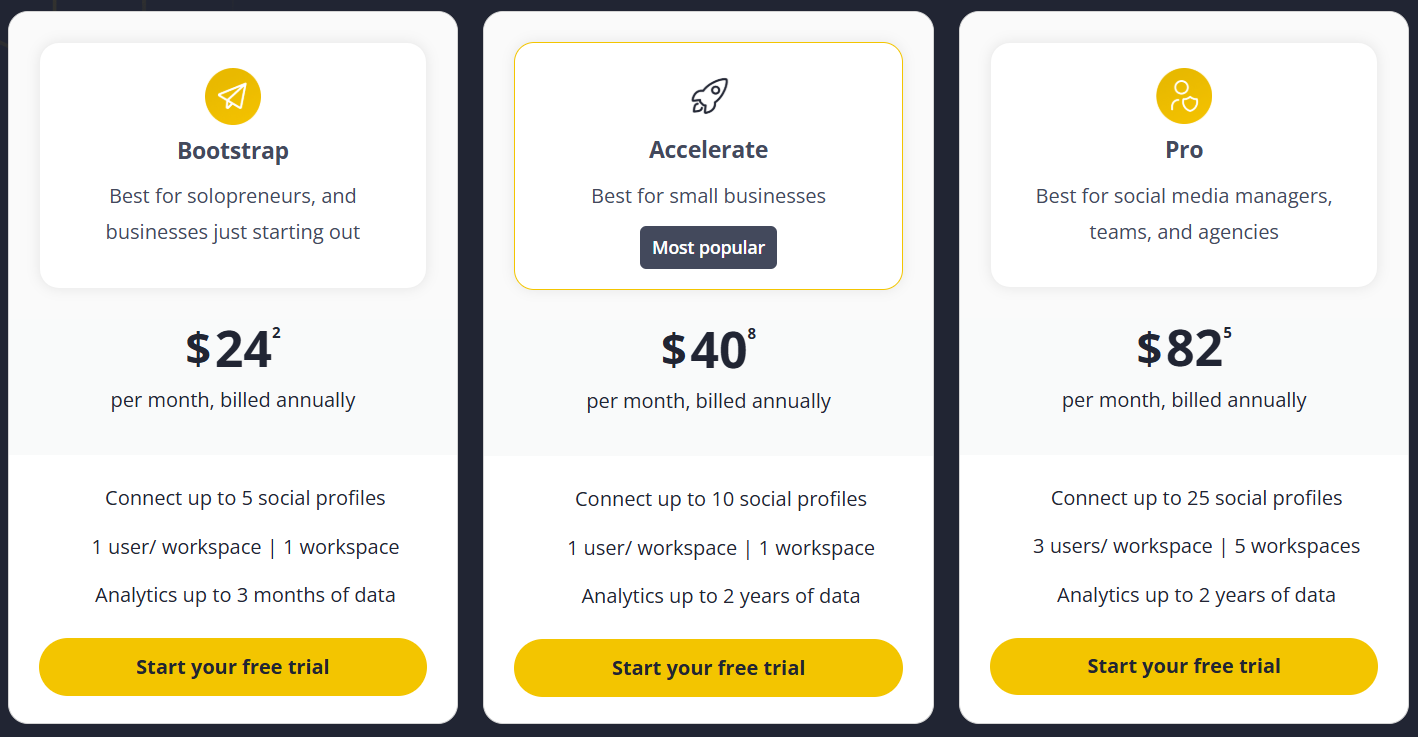
Standard Plans:
- Bootstrap – $24.20/month paid annually ($29 billed monthly) for 5 social profiles and 1 user
- Accelerate – $40.80/month paid annually ($49 billed monthly) for 10 profiles and 1 user
- Pro – $82.50/month paid annually ($99 billed monthly) for 25 profiles (3 users and 5 workspaces)
Agency Plans:
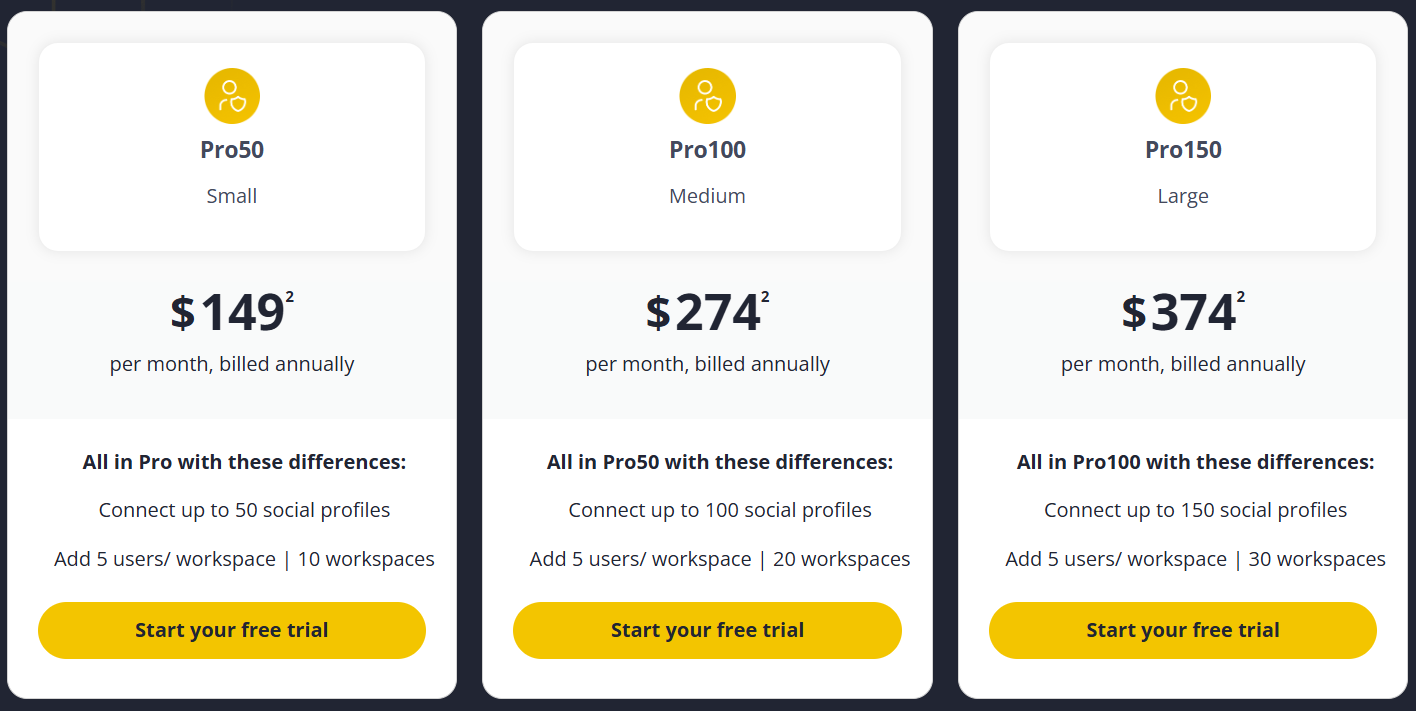
- Pro50 (Small) – $149/month paid annually for 50 social profiles, 10 workspaces, 5 users per workspace
- Pro100 (Medium) – $274/month paid annually for 100 profiles and 20 workspaces, 5 users per workspace
- Pro150 (Large) – $374/month paid annually for 150 profiles, 30 workspaces, 5 users per workspace
Customer reviews
SocialBee holds a 4.7 out of 5 average across 470+ G2 reviews, with most users raving about its time-saving features, responsive support team, and beginner-friendly UI. The most common praise is how easy it is to schedule content in bulk and recycle evergreen posts across platforms.
Some users mention a learning curve during setup and occasional bugs (like pages needing refreshes or hidden settings).
Here's what LK C. has to say about using SocialBee:
“What do you like best about SocialBee?
SocialBee has been a game-changer for my social media management. It allows me to organize all my accounts under a single, intuitive platform. The most impressive feature is the ability to group posts into categories and set specific reposting requirements. This has been especially helpful for managing my seasonal products, ensuring they get the visibility they need without the manual effort.
What do you dislike about SocialBee?
One small drawback is that long posts always display in full. It’s not always necessary to show the entire text at once, so a more compact view would be helpful.”
14. Known for quality support: Vista Social
Vista Social is a well-rounded platform with a strong feature set for teams managing multiple brands or profiles. It covers publishing, engagement, analytics, listening, and reputation management in one place — with AI and automation layered into many workflows.
The unified inbox, customizable reports, and post-level collaboration tools make it a practical option for agencies or in-house teams. Features like DM automation, social listening, and Vista Page (its link-in-bio tool) go beyond the basics offered by most entry-level tools.
The strongest value is in the Advanced plan (which comes at a premium price). It unlocks key differentiators like 2,000 AI credits a month (Professional gets 1,000), multi-stage approval workflows, and Zapier and Make integrations. Teams focused on scaling or reporting across multiple clients will benefit most from this plan.
From my experience, the platform feels fast and intuitive — especially when managing inboxes or scheduling content in bulk.
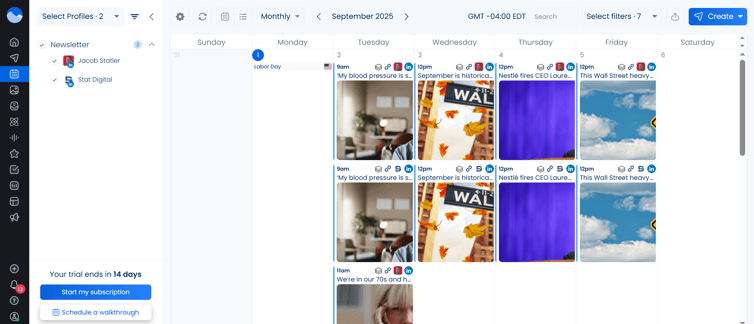
If you’re comparing options across scheduling tools, Vista Social stands out for combining depth of functionality with reasonable pricing (although not a budget option).
Pros
- Social listening tools with filters for keywords, platforms, location, and language (available as an add-on)
- Ability to post to multiple profiles at once with platform-specific customizations
- Cheaper than Sprout Social and Hootsuite for a comparable all-in-one feature set
- Ideal for managing multiple brands, clients, or teams in one place
- Support team is highly rated — fast to respond and proactive with onboarding help
Cons
- Occasional issues connecting Meta profiles (Facebook/Instagram), though support resolves quickly
- Some features, like Social Listening, come as an add-on with a steep price
- Some users report that the mobile app lacks full feature parity with the desktop version
- A few analytics features are less advanced than premium competitors like Sprout
- Real-time syncing delays may occur on non-Meta platforms (e.g., TikTok), depending on permissions
Key features
- AI-Powered Publishing – Generate posts using Vista’s built-in AI assistant, powered by ChatGPT, with caption prompts, content repurposing, and tone matching
- Multi-platform scheduling – Post to Instagram, Facebook, TikTok, LinkedIn, Pinterest, YouTube, Threads, Bluesky, Reddit, Snapchat & Google Business (X is a $29/month add-on)
- Automated DMs & comment replies – Set triggers to auto-respond to keywords, mentions, or comments with personalized messages, links, or offers
- Smart Inbox – Respond to all comments, messages, mentions, and reviews from one unified dashboard
- Social Listening – Track keywords across social networks, review sites, blogs, and news sources, with sentiment analysis and influencer recognition
- Advanced Reporting – Customizable, exportable reports with cross-platform insights, post performance, sentiment, team productivity, and competitor benchmarks
- Employee Advocacy – Let teammates like, share, and comment using pre-approved content to boost reach organically and save on paid ads
- Vista Page (link in bio tool) – Build landing pages and mini-sites with lead gen tools, scheduling, payments, video embeds, and custom domains
- Review Management – Monitor and respond to reviews across Google, Facebook, Yelp, TrustPilot, OpenTable, and TripAdvisor
- Bulk scheduling & approval workflows – Collaborate with teammates or clients, draft content, assign approvers, and schedule across all profiles
- Media integrations – Use Canva, Dropbox, GIPHY, Pexels, Unsplash, and more directly within Vista’s content library
- Mobile app + browser extension – Create and schedule content on the go or from any webpage
Why is Vista Social known for quality support?
Vista Social's support team is consistently praised in reviews for fast, proactive help, especially during onboarding and when managing inboxes or scheduling in bulk.
Pricing
Vista Social offers 4 flexible plans, and you can access every plan with a 14-day free trial (no cc required):
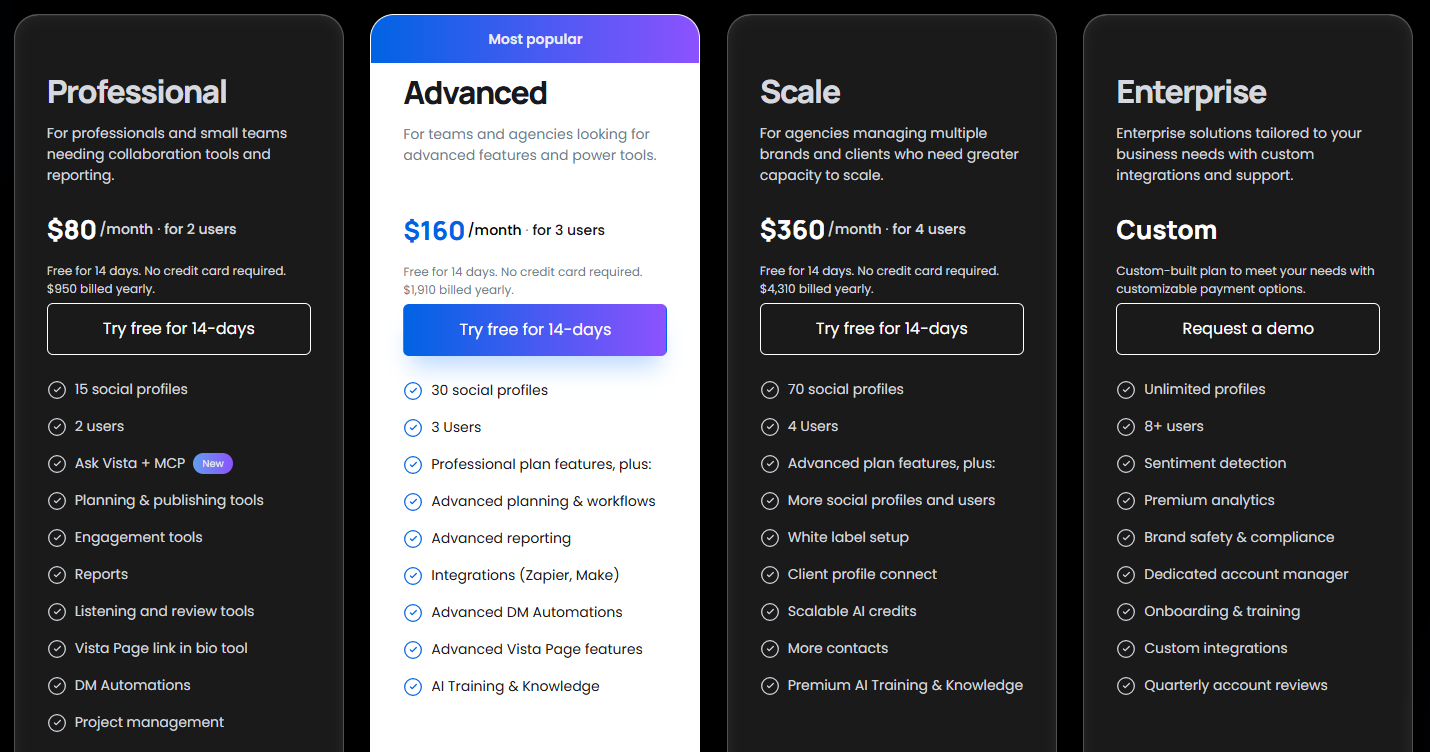
- Professional – $80/month paid annually ($99 billed monthly) for 15 social profiles and 2 users
- Advanced – $160/month paid annually ($199 billed monthly) for 30 social profiles and 3 users
- Scale – $360/month paid annually ($449 billed monthly) for 70 social profiles and 4 users
- Enterprise – Custom pricing, unlimited profiles and 8+ users
Add-ons:
- Employee Advocacy – Free to try, then $199/month for up to 25 employees
- Social Listening – $75/month to monitor social, web, and news outside your own profiles
- X (Twitter) – $29/month on every plan (publishing, boosting, automations, and analytics)
Customer reviews
Vista Social has a 4.8/5 average from over 1,000 reviews on G2. Users praise its fast UI, unified inbox, content scheduling, and time-saving automations. Many reviewers highlight how it combines social listening, publishing, analytics, and DM automation into one intuitive platform.
Here’s what Joshua A. has to say:
“What do you like best about Vista Social?
Vista Social has proven very easy to use, and whenever we do have an issue, the support team have always been able to help us quickly. We've tried other scheduling platforms but Vista Social is by far the best.
It's been perfect for us to integrate with LinkedIn, Instagram, Facebook and YouTube - it's massively helped us scale our reach and improve marketing performance.
The return on investment has been manifold - I always recommend Vista Social to my community and anyone I meet what to post content more consistently.
What do you dislike about Vista Social?
There are caps on how often we can schedule/post - we post heavily though so it is understandable. Thankfully we've been able to at least schedule 50 posts a day per platform without issues, but no more than 50.”
15. Good all-in-one for local business: eClincher
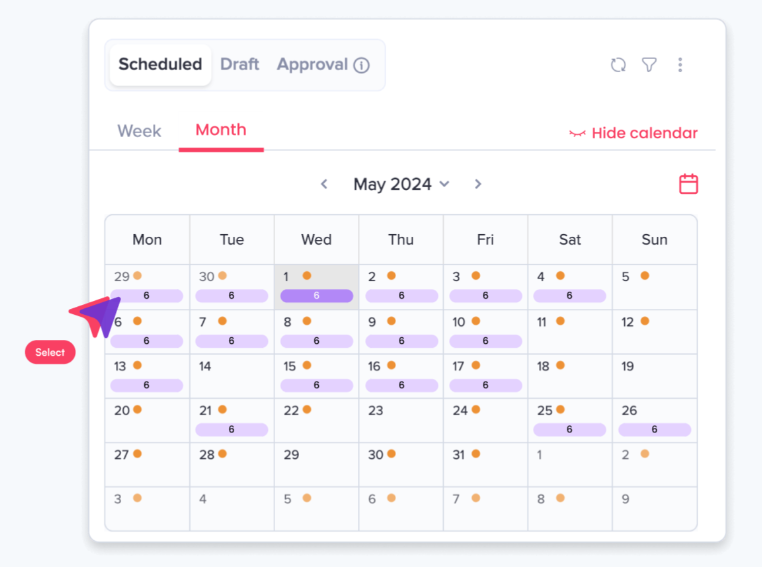
eClincher is best suited for agencies, franchises, and enterprise teams that need a centralized hub for publishing, inbox management, and local SEO. It goes far beyond basic scheduling — with standout features like a Smart Inbox with AI auto-reply, local listings management, and a drag-and-drop reporting dashboard.
You also get niche tools like employee advocacy, a custom link-in-bio builder, and AI content creation with tone and keyword controls.
That said, eClincher is one of the most expensive tools on this list — and it doesn’t offer a free plan. The UI can feel a bit overwhelming at first, especially for smaller teams or solo users who only need basic features.
From what I’ve seen in customer reviews, the live chat support is known to be consistently fast and helpful, and the platform is especially strong for agencies managing many accounts. One of its biggest differentiators is how it combines local SEO optimization and listings management directly into the social platform.
Pros
- All-in-one platform for scheduling, social listening, analytics, and inbox management
- Smart Inbox centralizes all messages, comments, reviews, and mentions
- Deep analytics and drag-and-drop custom reports
- AI tools for post scheduling and auto-reply
- Robust brand monitoring and social listening
- Local SEO tools (directory listings, keyword optimization)
- Reliable customer support via live chat
- Advanced approval workflows make client management easy
- Integrates with Canva, Bit.ly, and more
Cons
- No free plan — pricing starts at $149/month (paid monthly)
- Learning curve for new users due to feature depth
- Mobile app is less intuitive than the desktop version
- Occasional publishing errors or disconnected accounts
- Interface design isn’t as polished as some competitors
- Can be complex if you're only managing a few accounts
Key features
- AI Content Creation – Generate on-brand posts with adjustable tone, keyword suggestions, and multiple content variations
- Social Media Publishing Tool – Schedule posts, organize by queue, and preview content across all platforms from a unified calendar
- Social Media Scheduler – Automate posting for peak times using drag-and-drop rescheduling, visual calendar, and queue logic
- Social Media Calendar – Visualize all posts in one calendar view. Filter by profile, type, or campaign and manage weekly and monthly schedules
- Social Media Inbox – Centralize DMs, mentions, comments, and reviews with tagging, AI-powered auto-reply, sentiment detection, and team assignments
- Social Media Analytics – Track audience insights, content performance, sentiment, and engagement trends with drag-and-drop reporting dashboards
- Listings Management – Manage and sync business listings across platforms (Google, Bing, etc.) in real time, update hours and promotions, and reply to reviews
- Link in Bio – Create branded Instagram-style landing pages with visual grids, CTAs, product highlights, and event promotions
- Employee Advocacy – Let employees share approved posts via a centralized content hub, then track performance with leaderboards and recognition badges
- Brand Monitoring & Social Listening – Monitor conversations and sentiment across social and web to manage brand health
Why is eClincher considered a comprehensive scheduling tool for local businesses?
Local SEO and business-listing management are built directly into eClincher’s platform, which differentiates it from most all-in-one tools.
Pricing
eClincher offers a 14-day free trial and 3 plans:
- Standard – $134/month paid annually for 1 brand, 1 user (max 2), 15 social profiles (max 20)
- Professional – $314/month paid annually for unlimited brands, 5 users (max 10), 25 social profiles (max 40)
- Enterprise – Custom pricing for everything in Professional, plus unlimited brands, users, profiles, brand monitoring, listings management, SSO, and dedicated account executive
Customer reviews
eClincher holds a 4.6 out of 5 average across 430+ G2 reviews, with most users raving about its live chat support, unified Smart Inbox, and robust analytics features. The most common praise is how easy it is to manage multiple accounts and stay organized without switching between tools.
Some users mention a steep learning curve for new users and occasional publishing glitches — like accounts needing to be reconnected or posts failing to publish.
Here’s what Carlos F. has to say:
“What do you like best about Eclincher?
For us it has been an amazing tool, helping us save time, be organized and to get the reporting needed to keep us and our clients informed. Very easy to use, but their main asset in my opinion is the quick customer service via chat and the ease with which they solve my concerns. Haven't seen a company run like this in a long time. Good for them!
What do you dislike about Eclincher?
At the beginning it can be a little intimidating, but if you get one or two live sessions with them, not only you will understand how to take advantage of it better plus learn about the many tools available that you might not even know you had access to. We are at the agency level now and so far, our number one tool to use.”
16. Best for multi-location and multi-brand businesses: Sendible
Sendible is a great fit for freelancers, small agencies, and in-house teams that need a reliable, affordable scheduler with built-in reporting and platform coverage beyond just Instagram and Facebook.
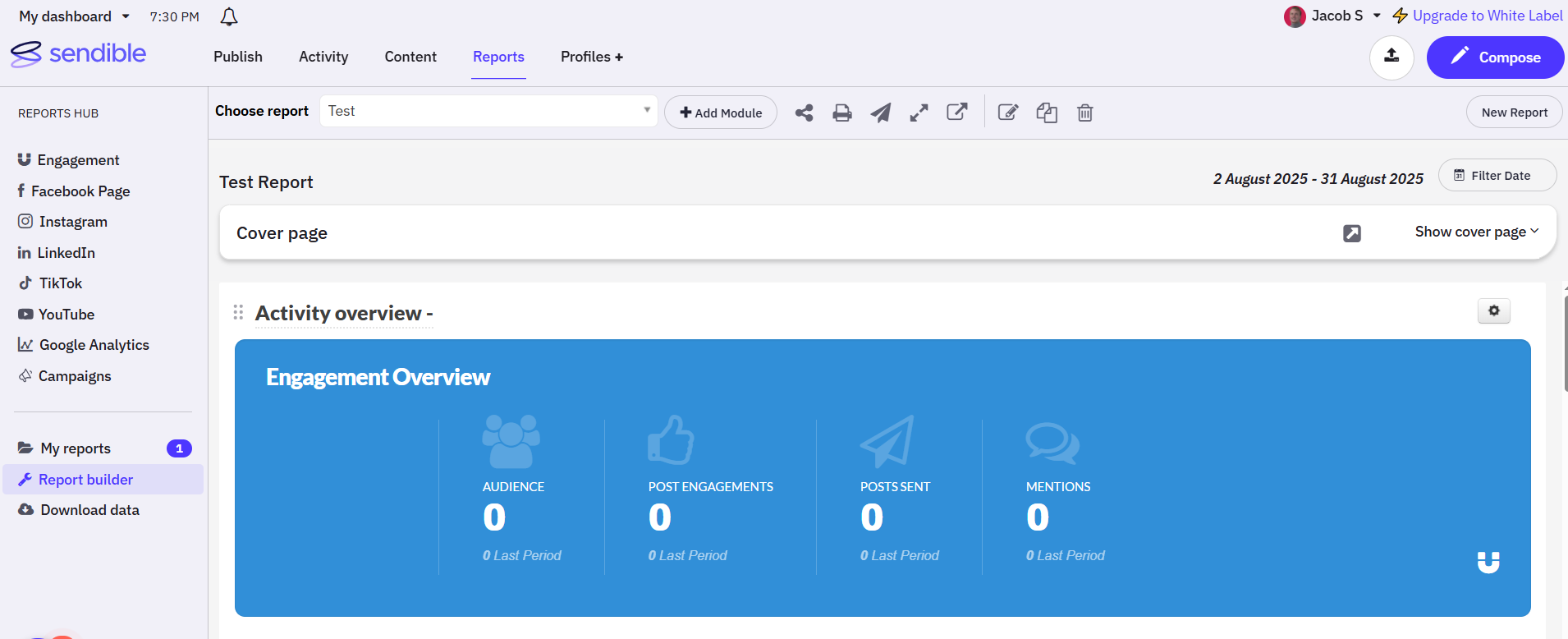
Its biggest strength is simplicity — reviewers consistently highlight how easy it is to onboard, schedule posts in bulk, and manage multiple clients from one dashboard.
You get everything from Smart Queues and bulk uploading to a drag-and-drop reporting builder, along with built-in Canva and Pexels integrations.
I enjoyed having the ability to create custom reports so I could include the metrics that matter to me. I’d recommend them for multi-location and multi-brand businesses such as hotels, car dealerships, dental clinics, property management, etc.
Unfortunately, Sendible doesn’t offer a free plan, just a 14-day trial.
From what I’ve seen in the reviews, people love how fast it is to batch schedule posts — and for the price, it’s one of the better options for solo users or teams that don’t need deep enterprise workflows.
Pros
- Easy to use — most reviewers mention fast setup and minimal learning curve
- Priority Inbox pulls in messages from all channels into one feed
- Supports posting to Google Business Profiles, Instagram, Facebook, LinkedIn, Threads, and more
- Offers post previews by platform and optimized post timing
- Lets you schedule in bulk and reuse content across multiple clients
- Canva and Pexels integrations for quick visual creation
- Solid reporting tools with decent visual exports
- Customer support is responsive and open to feature requests
- More affordable than many competitors — good value for small teams
Cons
- Can be glitchy on occasion — draft saving and screen resizing issues noted
- Lacks some advanced analytics or automation features found in higher-end tools
- White label option available as a paid add-on for Elite and Enterprise pricing plans
Key features
- Smart Compose Box – Customize, repurpose, and preview posts for each platform from one central dashboard
- AI Assist – Instantly generate captions, content ideas, and hashtags aligned to your brand voice
- Smart Queues – Recycle evergreen content like testimonials, holidays, and quotes using automated reposting queues
- Bulk Importing – Upload and schedule multiple posts at once via CSV or Compose Box to save time
- Priority Inbox – Manage all social comments, DMs, and mentions in one place. Assign to team members and filter by profile or date
- Campaign Management – Organize posts into campaigns, color-code them, and track performance over time
- Collaboration – Assign tasks, request approvals, manage roles, and invite clients without giving admin access
- Content Library – Store and categorize reusable content (text, images, hashtags) by type, campaign, or client
- Media Integrations – Design in Canva, pull visuals from GIPHY and Pexels, and import directly from Google Drive or Dropbox
- Social Media Reporting – Use drag-and-drop dashboards to build custom branded reports and schedule them to send automatically
- UTM & Custom Tags – Add custom URLs, campaign parameters, and brand info to posts directly in Compose Box
- Platform Coverage – Supports Facebook, Instagram, LinkedIn, TikTok, Google Business, YouTube, Threads, Bluesky, and X (Twitter)
Why is Sendible considered a good scheduling tool for multi-location and multi-brand businesses?
Workspaces keep every brand or location separate with its own calendar, permissions, and reporting, making it especially useful for franchises and multi-location brands.
Pricing
Sendible offers a 14-day free trial (no card required) and 5 plans:
- Core – $30/month paid annually for 1 workspace, 6 social profiles
- Plus – $84/month paid annually for 3 workspaces, 18 social profiles
- Premium – $169/month paid annually for 7 workspaces, 42 social profiles
- Elite – $254/month paid annually for 15 workspaces, 90 social profiles
- Enterprise – $638/month paid annually for 50 workspaces and 300 social profiles.
Customer reviews
Sendible holds a 4.5 out of 5 average across 880+ G2 reviews, with most users praising its ease of use, time-saving scheduling features, and responsive support. The most common praise is how intuitive the platform is, especially when managing multiple clients or scheduling posts in batches.
However, some users report occasional bugs, like drafts not saving unless you go full screen, and minor Instagram limitations, such as issues with location tagging or music.
Here’s what Grace M. has to say:
“What do you like best about Sendible?
I appreciate Sendible's user-friendly platform that outperforms others like Meta Business Suite and Buffer. It's easy to navigate when scheduling numerous posts across different platforms for Got Questions Ministries. Unlike its competitors, everything is easy to find and easy to schedule, and it was easy for me to learn.
What do you dislike about Sendible?
I would like to be able to schedule Instagram posts that have images along with Facebook posts that don't have images all in one place. It would be more time-efficient to do it all at one time rather than beginning another scheduling block for each.”
17. Best for approval workflows: ContentStudio
ContentStudio is ideal for agencies and social media managers who want an all-in-one scheduling, content discovery, and analytics tool with automation built into every layer. It’s especially useful for teams managing multiple brands or clients, thanks to its approval workflows, white label dashboards, and customizable workspaces.
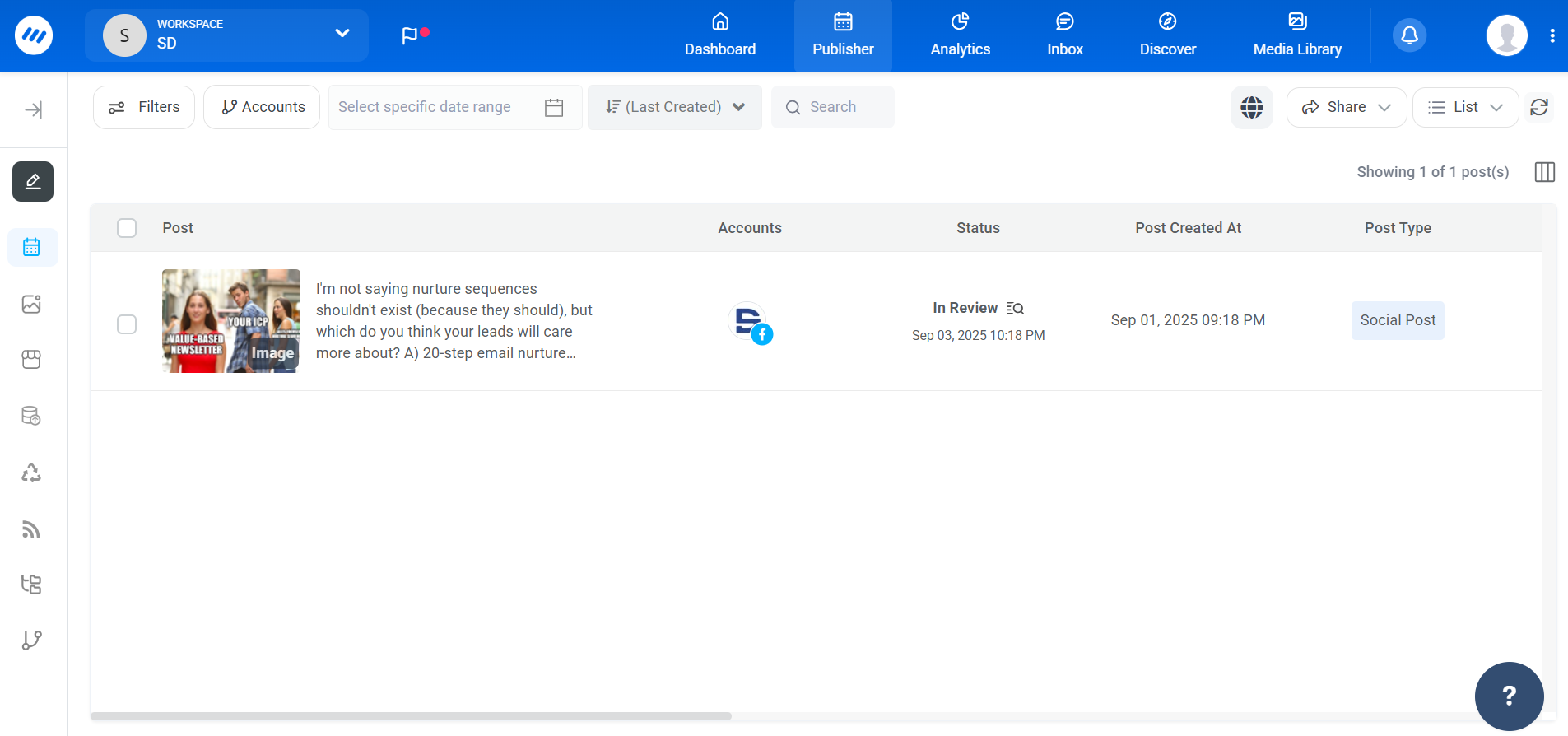
It stands out for its AI content assistant, competitor analytics, and social inbox, all of which are included in mid-tier plans — making it more affordable than tools that charge extra for those features. The Replug-powered link in bio tool is another bonus, offering advanced targeting, A/B testing, QR codes, and branded domains.
That said, the UI isn’t as modern as some of the newer tools, and its roadmap pace can feel a little slow at times. But from what I’ve seen in reviews, most users stay for the deep feature set and fair pricing. For agencies that need white label reporting, multi-client control, and automation at scale — ContentStudio punches above its price.
Pros
- Easy to use, with a clean and intuitive dashboard
- Powerful automation tools for content planning and repurposing
- Unified inbox makes social engagement and support easier to manage
- Analytics and competitor benchmarking included on every plan
- Responsive and professional customer support
- Saves significant time across content creation, scheduling, and analysis
- Affordable pricing for the feature set
Cons
- Some AI tools and advanced features are locked behind higher-tier plans
- Roadmap development and new features can be slow or sporadic
- A few users mention minor bugs and UI quirks
Key features
- Scheduler – Plan and publish posts to Instagram, Facebook, Threads, X, LinkedIn, TikTok, Pinterest, Google Business, Bluesky, YouTube, and WordPress
- Approval Workflow – Assign reviewers, preview posts, and fast-track content sign-off with magic link access and email-based approvals
- Automation – Set up evergreen campaigns, repurpose top content, auto-publish from RSS feeds, and schedule posts in bulk via CSV
- AI Content Assistant – Generate captions, hashtags, images, text variations, and videos using custom prompts, tone controls, and rephrasing tools across 35+ AI models
- Content Discovery – Discover trending content by topic, organize feeds into categories, and share instantly to social media
- Composer – Create posts with live previews, AI-powered variations, first comment scheduling, and auto-hashtags
- Media Library – Upload, tag, and organize media assets. Reuse high-performing visuals and import from Google Drive or Dropbox
- Calendar – View scheduled content by day, week, or month, and filter by status, client, label, or campaign
- Workspaces – Manage multiple clients separately with custom branding, calendars, permissions, and approval processes
- Social Inbox – Centralize comments, DMs, reviews, and mentions from all platforms with filters, saved replies, notes, and mobile access
- Competitor Analytics – Track and benchmark your content, hashtags, engagement, and performance against industry competitors
- Social Analytics – Monitor performance across platforms, generate white-label PDF reports, and schedule automated client reporting
- Link in Bio (Replug- a sister/partner tool) – Build branded link-in-bio pages with CTAs, custom slugs, QR codes, retargeting pixels, A/B testing, and smart traffic routing
- White Label – Customize platform logos, domains, reports, dashboards, and email notifications to match your agency’s brand ($50/month add-on)
Why are ContentStudio’s approval workflows considered the best among social media scheduling tools?
Magic-link and email-based approvals let reviewers sign off on content fast, without logging into the platform.
Pricing
ContentStudio offers a 7-day free trial and 4 pricing plans:
- Standard – $19/month paid annually for 5 social accounts, 1 user, 1 workspace
- Advanced – $49/month paid annually for 10 social accounts, 2 users, 2 workspaces
- Agency Unlimited – $99/month paid annually for 25 social accounts, unlimited users and workspaces
- Enterprise – Contact sales for custom social accounts, unlimited workspaces, users, and clients
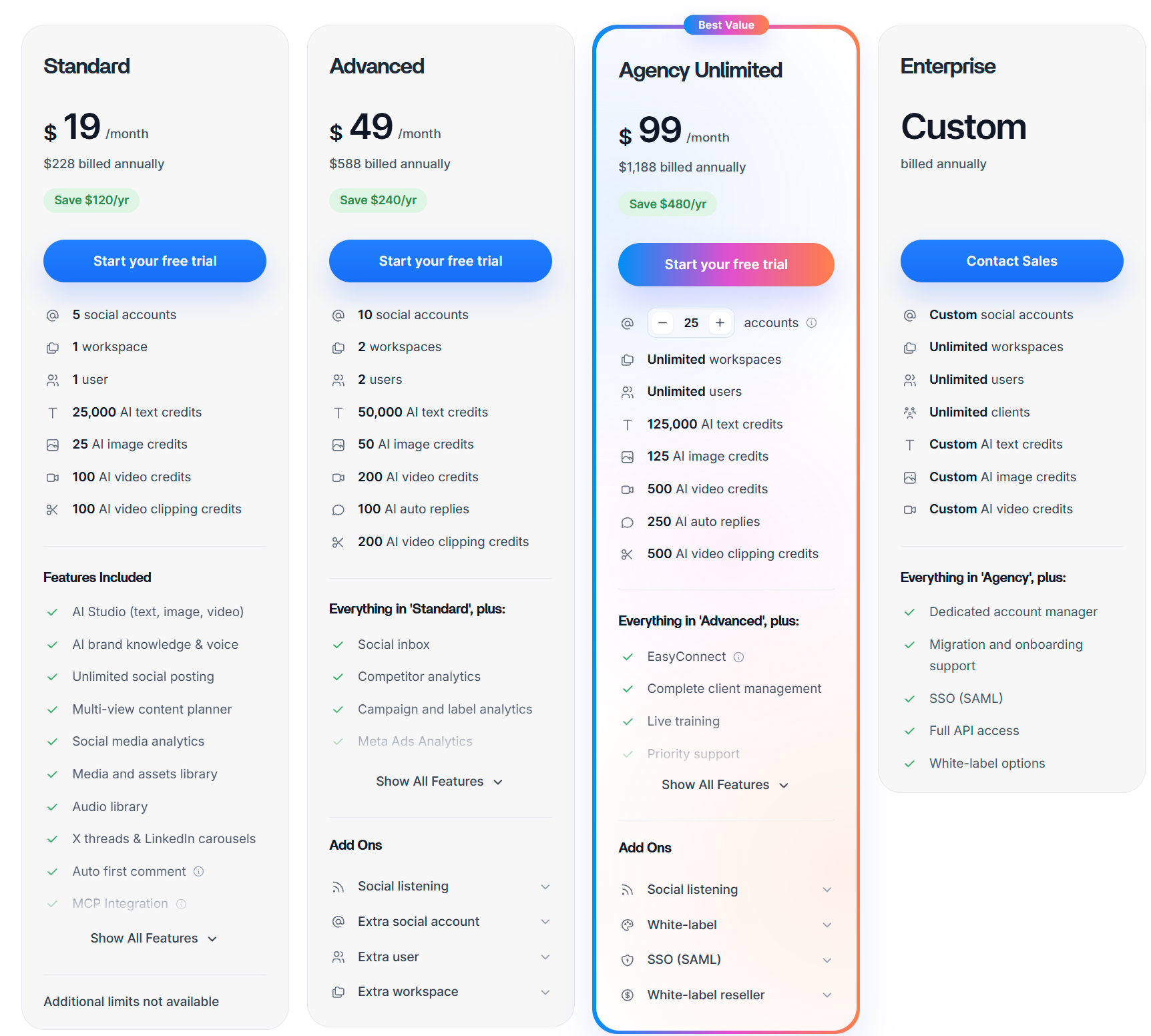
Customer reviews
ContentStudio holds a 4.6 out of 5 average across 340+ G2 reviews, with most users praising its all-in-one dashboard, content curation tools, and automation features. The most common praise is how easy it is to manage everything — from discovery to scheduling — in one platform.
Some users mention missing integrations, limited social listening, and occasional UI quirks as areas for improvement.
Here’s what Saif A. has to say:
“What do you like best about ContentStudio?
I use ContentStudio primarily as a solo creator to manage my social media profiles. I love that it has solved the headache of opening multiple tabs and keeping an eye on several different platforms just to post an update. The social media analytics, especially for competitor benchmarking, are features I use the most. Social listening also adds depth, as it helps me track what people are saying about competitors I care about. Bulk scheduling is incredibly helpful; as a solo creator, I usually schedule about two weeks of content in one go, and it works just fine. The option to get an API-specific plan is something I might explore in the future. Overall, the initial setup was generally pretty easy.
What do you dislike about ContentStudio?
The discovery feature could be improved as it sometimes does not provide the correct data. Also, the analytics may not behave well sometimes, and the overall app UI feels like just another generic app; it could be more intuitive or welcoming.”
The all-around best social media post scheduler (and how to get the most out of it)
Post Planner offers a great blend of value, features, and time-saving awesomeness. That's why we're humbly naming it our top pick for best social posting app.
So, what makes Post Planner so valuable?
A social media tool is only good if you know how to use it, so we're going to show you how to get the MOST out of your Post Planner account.
(I recommend signing up for a free trial to test these features out for yourself.)
Create automated schedules
The core function of Post Planner is its powerful scheduling feature. It allows you to automate posting and easily manage content across ALL major platforms. (Facebook, Instagram, Threads, Google Business, LinkedIn, Pinterest, TikTok, X, Bluesky, and YouTube.)
Easily schedule one-off posts or use the bulk scheduling feature to plan and queue multiple posts at once. This will save you HOURS every week, freeing you to focus on other important aspects of your marketing strategy.

Find or create content streams
Your posting schedule is only as good as the content you fill it with, and Post Planner won't EVER let you run out of ideas.
Unlike most social schedulers, Post Planner gives you access to content streams (searchable and filterable feeds of high-performing content from YOUR niche).
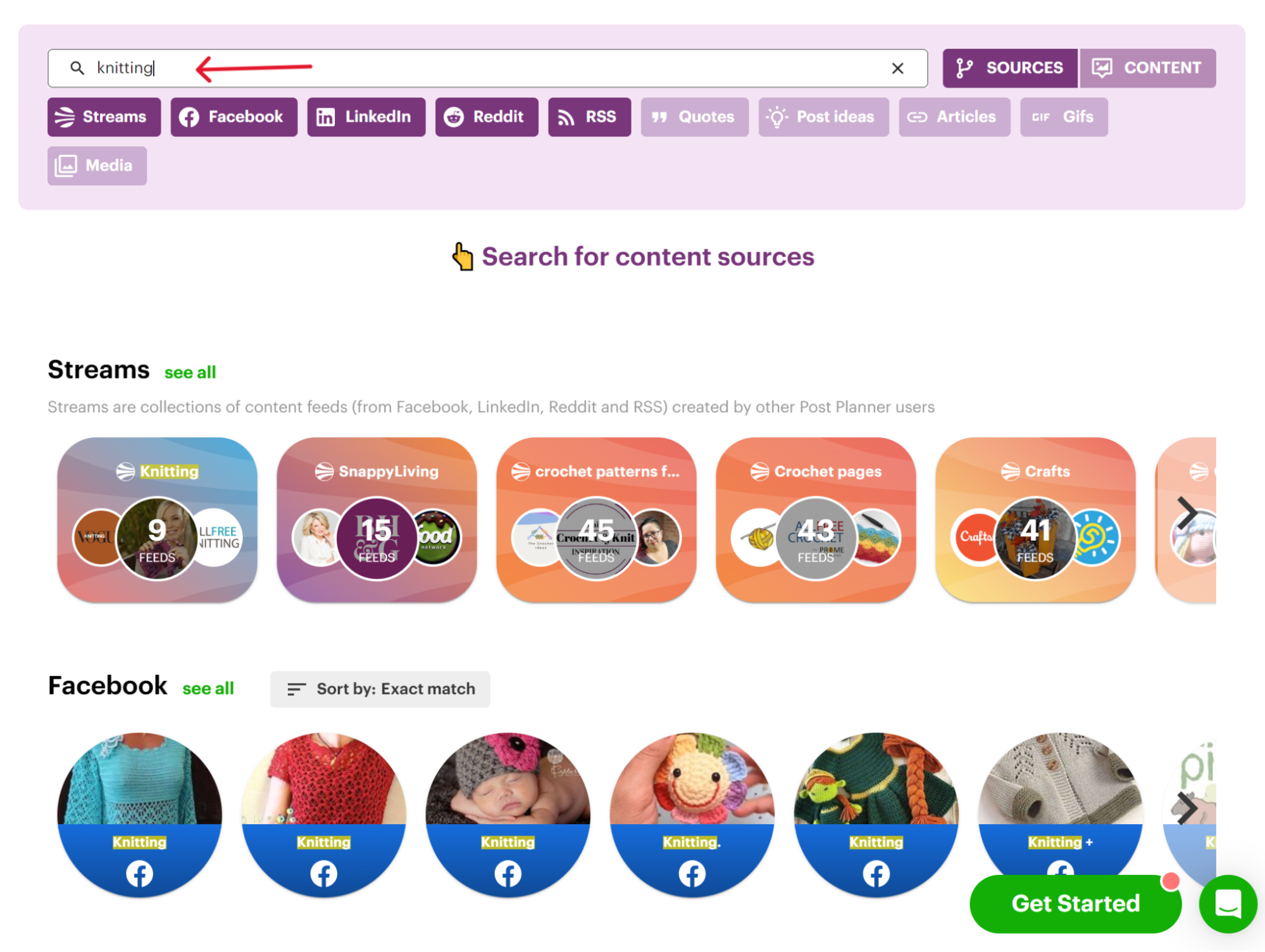
You can either repost the high-performing content you find OR use it for inspiration to make your version of that post.
Don't forget to take advantage of organizing your posts into category buckets.
This makes it easy to create a highly targeted, automated posting schedule.
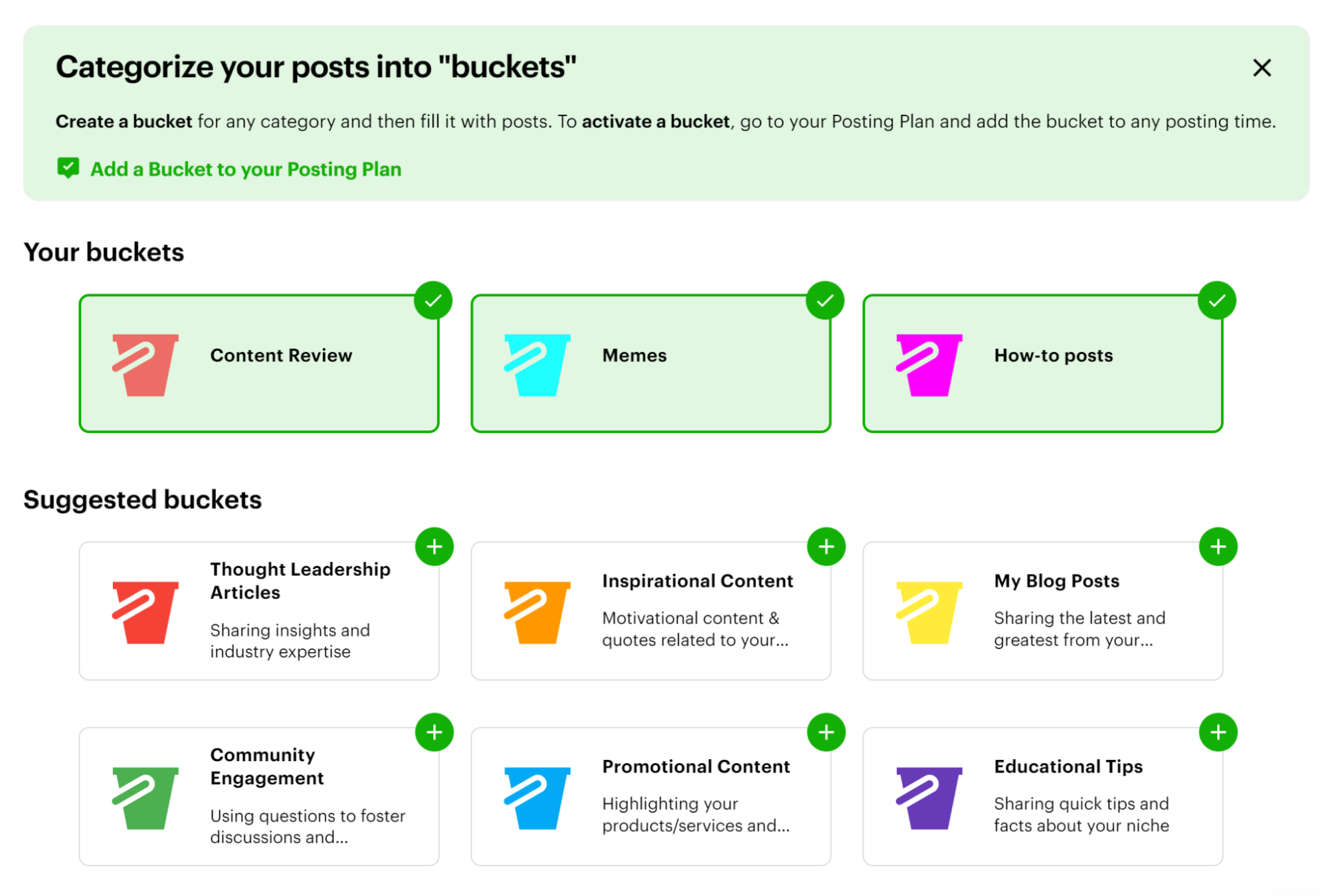
Design unique content like a pro
I get it. You might not be a professional content creator (yet), but Post Planner makes designing and creating unique content super easy.
Here's how:
- Post Planner's AI tool helps you generate ideas, prompts, quotes, captions, hashtags, AND MORE. Expand your creativity and create posts effortlessly.
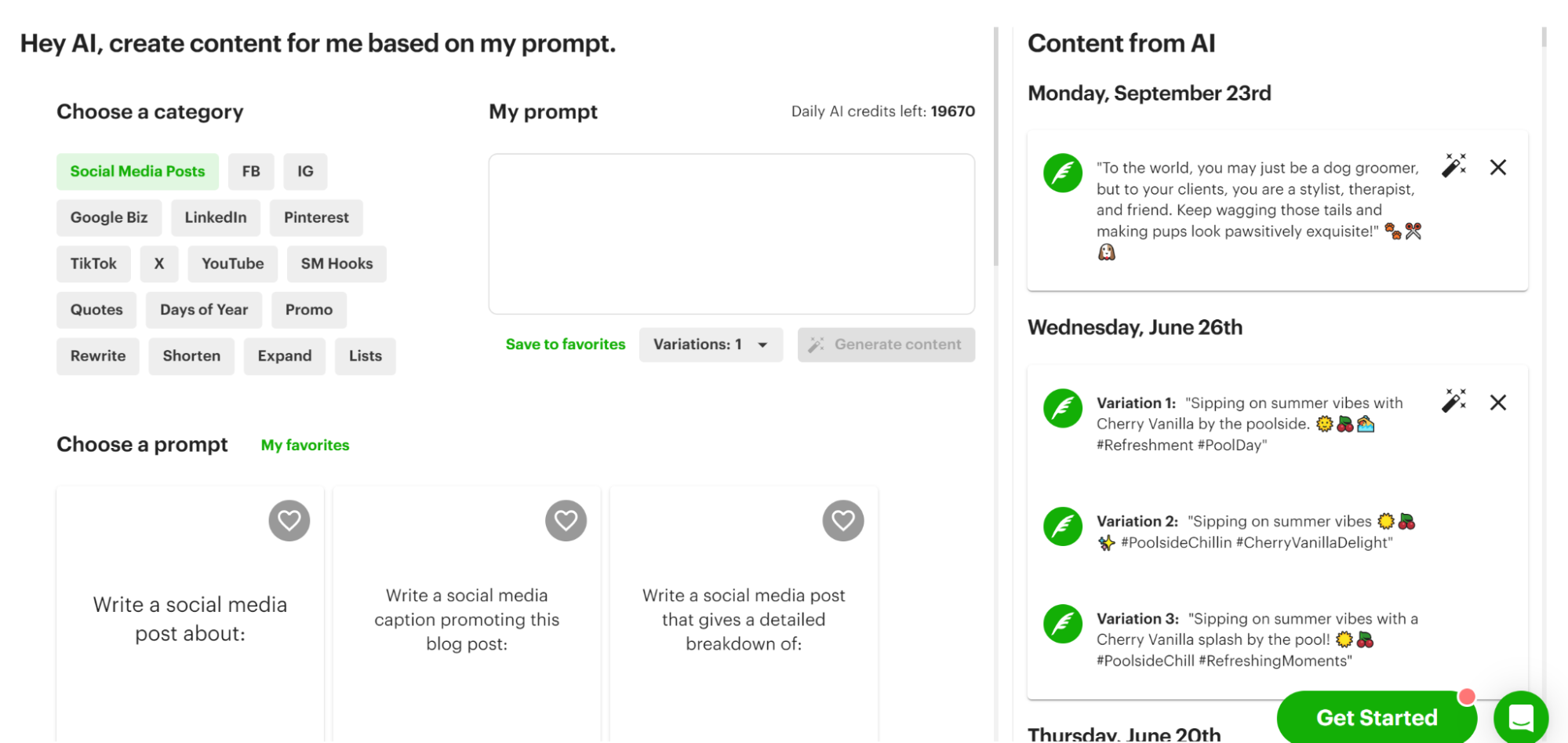
- The design studio lets you create custom images DIRECTLY within Post Planner.
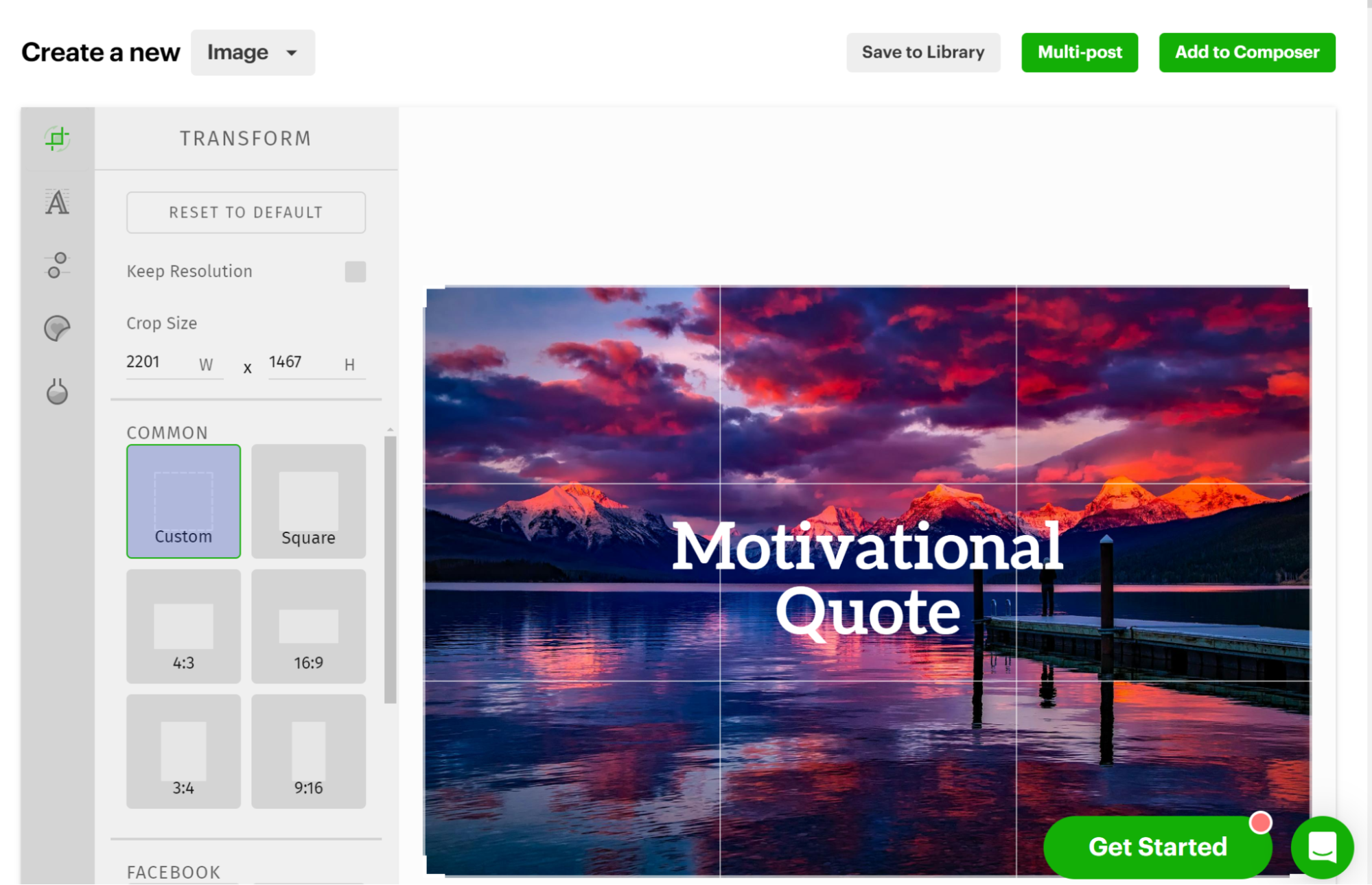
- You’ll have access to an UNLIMITED number of proven post ideas that are tailored to get results.
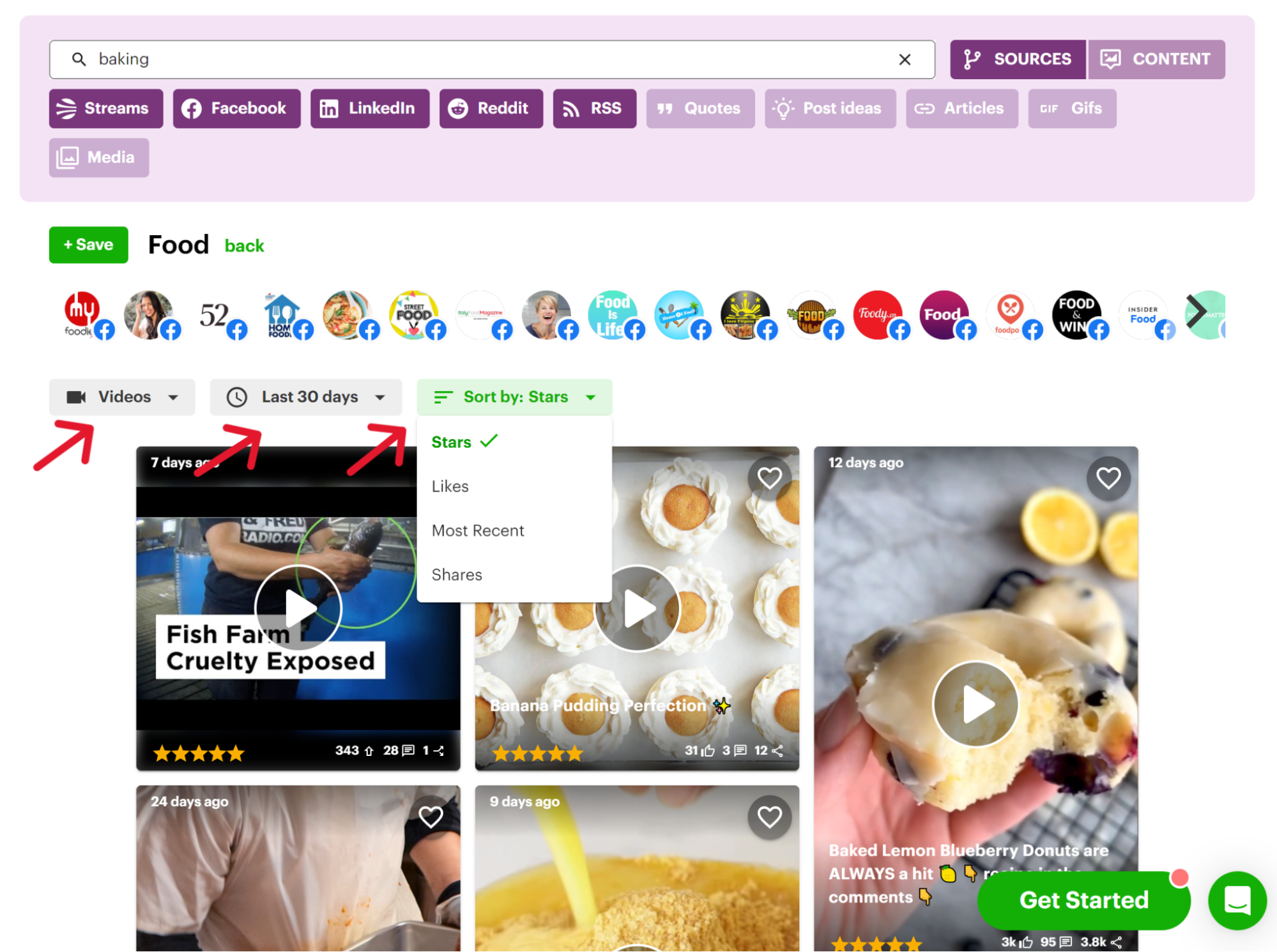
Creating standout social media content is SO simple with these powerful tools all in one place. (Even if you’re just starting out.)
Automatically recycle your most popular content
So, what do you do when a piece of content knocks it out of the park with incredible engagement?
2 things:
- Create MORE content like that.
- Recycle it to keep it in front of your audience.
With Post Planner, recycling content is easy. Just toggle the recycle button when creating a post, and it'll automatically reappear in your calendar for future use.
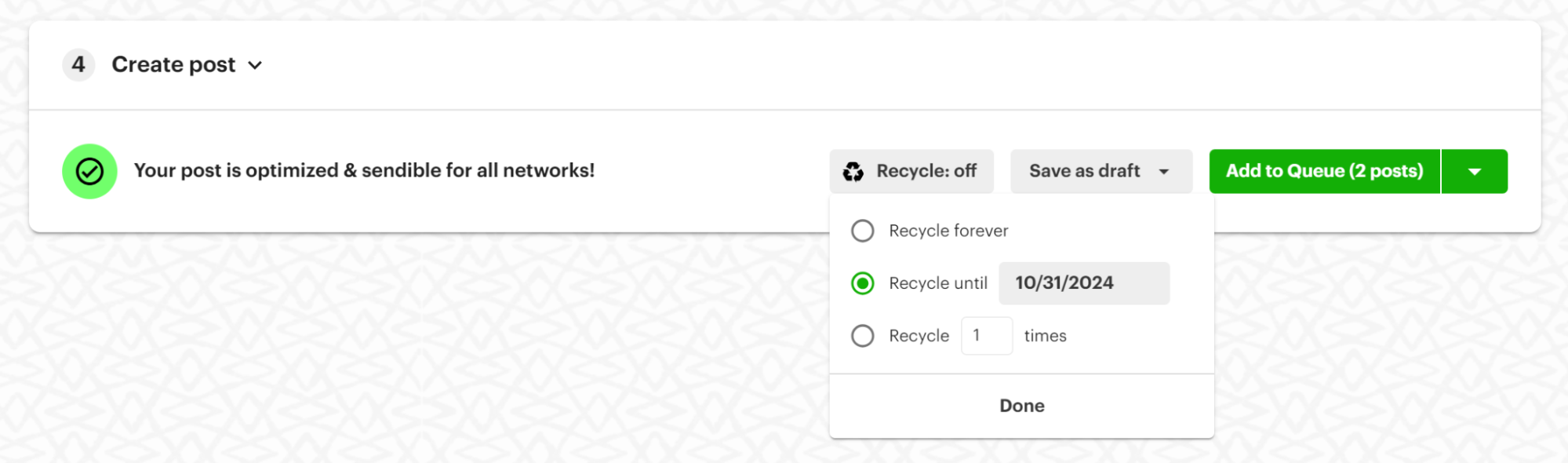
Plus, the content calendar makes it effortless to edit or reschedule posts, so you can quickly adjust for hot industry news or trends as they pop up, keeping your content fresh and relevant.
Frequently asked questions
Why do I need a social media post planner?
You might be wondering, "Why not just handle my social media posts manually?"
While it's possible, there are SO many reasons why using a scheduling tool like Post Planner is a smarter choice:
- Save time: You can save HOURS every week using an automated tool.
- Find better content: Stop manually searching for relevant posts when tools like Post Planner offer curated, TOP-PERFORMING content from your niche.
- Improve engagement: Better content = higher engagement. By posting high-quality content, you'll see more Likes, comments, shares, and followers.
- Post more often: You've heard it before. Consistency is key! Social media scheduling tools make planning easier, so you never have to "panic post" again.
What’s the difference between native platform schedulers and third-party scheduling tools?
Native schedulers (like Instagram's built-in scheduling or Facebook's Creator Studio) let you plan posts directly inside that one platform. It’s free, but it’s limited to that single network.
Third-party tools like Post Planner connect to ALL your platforms at once, so instead of logging into 5 different apps, you manage everything from ONE dashboard.
When are native schedulers not enough?
Native schedulers start to break down the moment your social strategy gets bigger than "one person, one platform." Here's when you'll outgrow them:
You're on multiple platforms. Bouncing between 5 native schedulers to plan one campaign wastes hours you don't have.
You're managing content for a team or clients. Native tools don't offer approval workflows, so there's no way to review a post before it goes live.
You want to recycle top-performing content. Native schedulers make you rebuild the same post from scratch every time.
You need to find content ideas. Native tools assume you already know what to post. They won't help you discover what's working in your niche.
You care about analytics that compare platforms. Native insights stay locked inside that one platform, so you can't see the full picture of your performance.
What's the difference between social media scheduling and social media management tools?
Scheduling tools do ONE job really well: they queue up your posts and publish them automatically at the times you choose.
Management tools do that AND more. Along with scheduling, they typically bundle in audience engagement, social listening and monitoring, analytics and reporting, team collaboration, and client approval workflows.
Think of scheduling as ONE piece of the bigger social media management puzzle. Some tools (like Post Planner) lean scheduling-first with content discovery built in, while others lean into full-blown management with monitoring and engagement layered on top. Which one you need depends on whether you're just trying to stay consistent, or trying to run your entire social presence from a single dashboard.
What should I look for in a social media scheduling tool?
When choosing a social media scheduler, consider the following key factors:
- Does the pricing fit your budget?
- Is the company known for quality customer support?
- Does it offer essential features like bulk scheduling and post-recycling?
- Can it help you generate post ideas and curate top-performing content in your industry?
- Does it have an AI writing assistant to streamline content creation?
- Can you schedule posts via a mobile app?
Is there a free way to schedule social media posts?
Sure is! Post Planner offers a free plan that lets you have up to 10 posts scheduled at any time.
How do I create a social media posting schedule?
- Sign up for a free Post Planner account.
- Determine the days and times you want to post.
- Curate post ideas from the content streams or create your own using the design studio and AI tool.
- Add your posts to your content plan.
- Watch as your scheduled content is posted automatically! (And forget about having to log into EVERY social media platform EVERY time you want to post something.)
Do scheduled posts get fewer views?
There's a common misconception that scheduled social posts get fewer views.
It's quite the opposite because of the advantages scheduling your posts gives you. For example, you can schedule your posts to publish at the PERFECT time, allowing you to engage more with your audience and focus on your content strategy.
Bottom line? You need a social media scheduling tool
There you have it — a review of the 17 best tools to manage social media posts, along with our top pick.
The right tool for you depends on your goals and preferences, but no matter what, you'll want to:
- Switch between platforms easily while engaging with users.
- Find PROVEN content quickly without wasting time.
- Track and adjust your strategies easily.
Doing all these things (and more) often requires a combination of tools. But with Post Planner, you get everything under one roof, saving time AND turning your page into a lead-generating machine!
What're you waiting for? Create your FREE account and get started today.








ViewHide comments (13)